
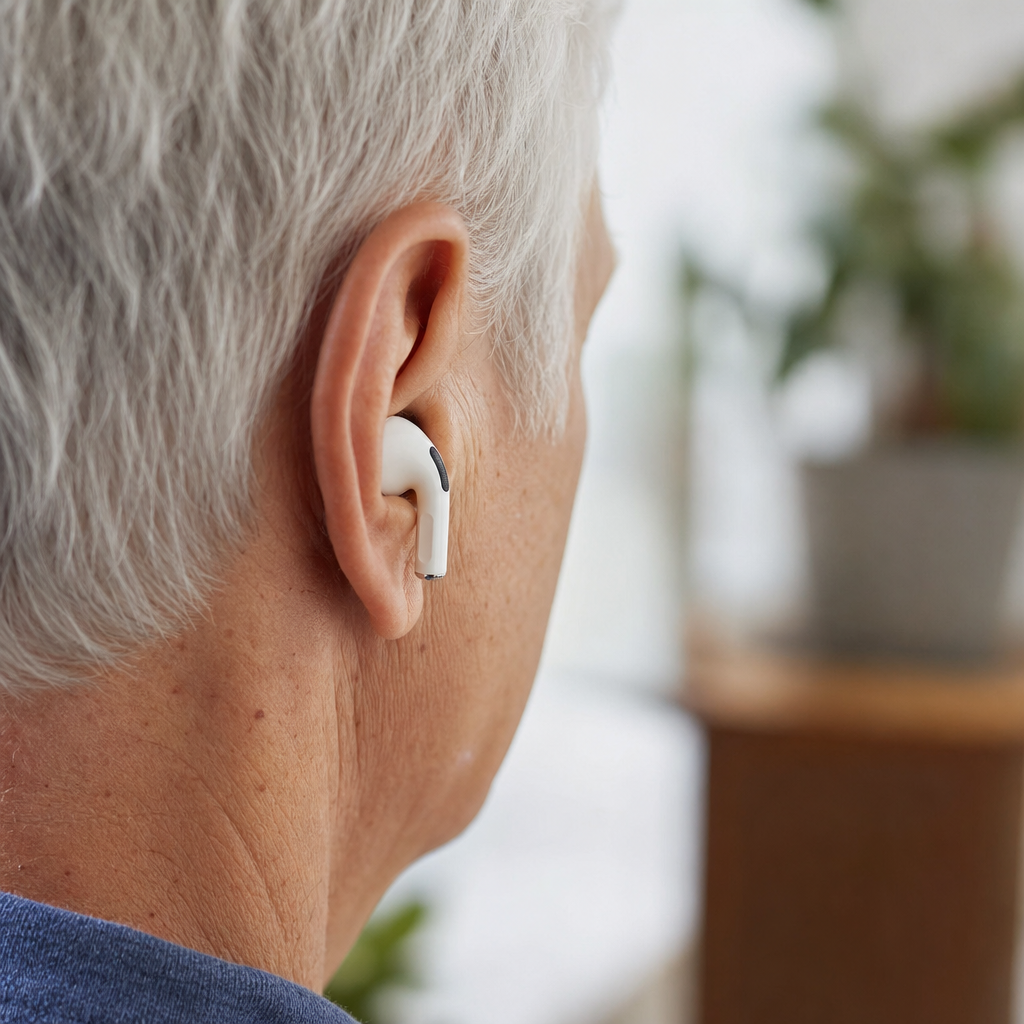
AirPods hearing aid feature brings mainstream consumer audio into a category once reserved for medical devices, and that shift matters for millions of people with mild to moderate hearing difficulties. In practical terms, this feature uses the microphones, onboard processing, and personalized audio settings in certain AirPods models to amplify speech and shape sound so conversations become easier to follow. People often use the phrase “hearing aid” loosely, but there are important distinctions. A prescription hearing aid is a regulated medical device fitted for a diagnosed hearing loss, while an AirPods hearing aid feature is a hearing assistance function built into wireless earbuds. I have worked with patients, clinicians, and audio accessibility settings long enough to know the appeal is obvious: familiar hardware, lower cost, and simple setup from an iPhone.
The topic matters because hearing loss is common, underdiagnosed, and frequently untreated. The World Health Organization estimates that more than 1.5 billion people worldwide live with some degree of hearing loss, and hundreds of millions could benefit from rehabilitation. Yet many delay treatment for years because of cost, stigma, or inconvenience. That gap created room for over-the-counter hearing aids, personal sound amplification products, and now advanced hearable features in devices people already own. AirPods sit at the center of that change. They are not the right answer for every user, but they have made hearing support visible, socially acceptable, and easier to try.
To understand the AirPods hearing aid feature, start with the underlying tools Apple has developed over several generations. Live Listen turns an iPhone or iPad into a remote microphone that streams amplified sound to compatible AirPods. Conversation Boost, available on AirPods Pro, emphasizes voices in front of the listener and reduces some surrounding noise. Headphone Accommodations lets users tune amplification, brightness, and vocal range based on an audiogram or listening preferences. Combined, these settings can function like entry-level hearing assistance for specific situations such as restaurants, family gatherings, classrooms, or television listening.
This hub article covers what the feature does, who it helps, how it compares with hearing aids, what models support it, how to set it up, and where its limits become important. If you are deciding whether AirPods can replace hearing aids, the short answer is no for many people and yes for some listening scenarios. If you want an affordable first step before seeking formal care, AirPods may be useful. If you need all-day amplification, custom fitting, feedback control, and medical follow-up, dedicated hearing aids remain the standard.
What the AirPods hearing aid feature actually does
The clearest way to describe the AirPods hearing aid feature is this: it improves audibility and speech focus using software, microphones, and personalized audio processing. When Live Listen is enabled, the iPhone captures nearby sound and sends it to AirPods in near real time. This can help in meetings when the phone is placed near a speaker, or at a dinner table when the listener needs voices brought closer. Conversation Boost works differently. It uses beamforming microphones on AirPods Pro to prioritize speech coming from in front of the user, which can make one-on-one conversation easier in moderate background noise.
Headphone Accommodations adds another layer. In my experience, this is the setting many users overlook, yet it often determines whether AirPods feel merely louder or meaningfully clearer. Apple allows users to adjust tonal balance, amplify soft sounds, and import an audiogram from the Health app. If the audiogram is reasonably accurate, the AirPods can tailor output to the listener’s hearing profile. That does not produce the same precision as real-ear measurement in a clinic, but it can noticeably improve speech understanding for users with limited high-frequency hearing loss.
There is also environmental awareness to consider. Standard AirPods listening modes, Transparency mode, and adaptive processing affect how natural outside sound feels. For some users, Transparency mode combined with personalized settings creates a more comfortable listening experience than simple volume increase. That is important because hearing help is not just about making sounds louder. It is about making speech more intelligible without making dishes, traffic, and HVAC noise unbearably sharp. The best hearing technology balances gain, directionality, and noise management, and AirPods approximate some of that balance surprisingly well.
Which AirPods models support hearing assistance features
Not every AirPods model offers the same hearing support functions, so buyers should check compatibility before assuming all features are available. Live Listen works on several AirPods, AirPods Pro, AirPods Max, Beats models, and compatible Apple devices running current software. Conversation Boost has been associated primarily with AirPods Pro because it depends on specific microphone arrays and processing capabilities. Headphone Accommodations covers more Apple and Beats headphones, but the quality of the experience varies with hardware design, ear seal, and microphone performance.
In day-to-day use, AirPods Pro are generally the most relevant model for hearing assistance because they combine in-ear sealing, Transparency mode, active noise control, and the processing needed for conversational enhancement. Regular AirPods can still help with Live Listen, especially when the iPhone is used as a tabletop microphone, but they usually provide less isolation and less consistent speech clarity in noisy spaces. AirPods Max are technically capable in some accessibility settings, yet they are bulkier and less practical as a hearing support option outside home or office environments.
Software version matters as much as hardware. Apple frequently refines accessibility functions through iOS and firmware updates, and features can expand or change by region. Users should update iPhone and AirPods before evaluating performance. They should also verify settings under Accessibility, Control Center, and Bluetooth device options. I have seen many cases where someone concluded the feature “does not work,” only to find the wrong microphone source, an outdated iOS version, or improperly fitted ear tips was the real issue.
How AirPods compare with hearing aids
AirPods and hearing aids overlap in purpose but differ in design goals, regulation, and clinical support. Hearing aids are purpose-built medical or regulated devices intended to compensate for hearing loss across many hours each day. They offer frequency-specific amplification, feedback suppression, compression, directional microphones, telecoil or Bluetooth streaming, and fitting software controlled by hearing professionals. AirPods are consumer earbuds first. Their hearing aid feature is an accessibility layer built on top of a product designed mainly for music, calls, and media.
The biggest advantage of AirPods is accessibility in the ordinary sense of the word. Many people already own them, know how to charge them, and feel comfortable wearing them in public. Cost is also dramatically lower than prescription hearing aids, which can range from roughly $2,000 to $7,000 per pair depending on technology level and service package. Over-the-counter hearing aids lowered the entry barrier in the United States after the FDA created the category in 2022, but AirPods can still be cheaper if someone already has compatible hardware. That makes experimentation easy.
The biggest advantage of hearing aids is consistency. They are designed for low power consumption, extended wear, acoustic stability, and individualized fitting. They can run all day, sit discreetly behind or inside the ear, and adapt automatically as environments change. AirPods typically have battery limitations, may become uncomfortable over long sessions, and can draw attention when worn continuously in situations where earbuds seem socially out of place. Most important, hearing aids are matched to an audiogram and validated with fitting protocols such as NAL-NL2 or DSL, while AirPods rely on less precise consumer-level adjustments.
| Feature | AirPods hearing aid feature | Dedicated hearing aids |
|---|---|---|
| Primary purpose | Consumer audio with accessibility support | Hearing loss treatment and daily communication |
| Fitting method | Self-adjusted settings, optional audiogram import | Professional fitting with audiogram and verification |
| Battery life | Usually a few hours per charge | Often all-day use, rechargeable or disposable battery |
| Noise management | Useful but limited by earbud design and software | More advanced, optimized for speech and comfort |
| Best for | Situational help, trial use, budget-conscious users | Ongoing hearing loss management |
Who should consider using AirPods for hearing support
AirPods hearing aid feature is best suited to people with mild perceived hearing difficulty, especially those who struggle in selected environments rather than all day long. A common example is someone who hears reasonably well at home but misses parts of conversation in restaurants, meetings, places of worship, or group gatherings. Another example is a person who turns the television up louder than others prefer but has not yet completed a formal hearing evaluation. In these cases, AirPods can provide an immediate, low-friction test of whether amplification and speech emphasis help.
They can also be useful for people waiting for a hearing appointment, comparing options before buying an over-the-counter hearing aid, or needing temporary support for a family event or work presentation. Students may use Live Listen by placing an iPhone closer to an instructor. Office workers may use Conversation Boost during small meetings. Older adults often appreciate being able to try hearing assistance without immediately adopting a traditional hearing aid identity, and that psychological factor should not be underestimated.
However, AirPods are not the right choice for everyone. Anyone with sudden hearing loss, one-sided hearing loss, tinnitus that changed abruptly, ear pain, ear drainage, dizziness, or significant difficulty understanding speech even in quiet should see a hearing professional or physician promptly. Those red flags need medical assessment, not a consumer workaround. People with moderate to severe hearing loss may find AirPods insufficient, inconsistent, or exhausting because the device can amplify sound without providing the fine control needed for sustained clarity. Children also require specialized evaluation and management that goes beyond consumer earbuds.
How to set up AirPods hearing aid features the right way
Good setup determines whether the feature feels impressive or disappointing. Start by confirming your iPhone and AirPods firmware are current. Then go to Settings, Accessibility, Audio & Visual, and Headphone Accommodations. Turn the feature on and run through the customization options, paying close attention to balanced tone, vocal range, and brightness. If you have a hearing test stored in the Health app from a reputable source, import that audiogram. Generic tuning can help, but personalized hearing data usually improves results.
Next, add Hearing to Control Center so Live Listen is easy to activate. Insert the AirPods securely, then open Control Center, tap the ear icon, and enable Live Listen. Place the iPhone near the person you want to hear more clearly, with the microphones facing the sound source. Distance and placement matter. On a conference table, moving the phone even a few feet closer to the main speaker can significantly improve clarity. For one-on-one conversation, enable Conversation Boost if supported and test it first in a moderately noisy environment rather than a perfectly quiet room.
Fit is critical, especially with AirPods Pro. Use the Ear Tip Fit Test and try different tip sizes. A poor seal reduces bass, destabilizes transparency processing, and can make speech sound thin or harsh. I also advise users to compare settings in real environments and keep notes for a week. Test at breakfast, in a car, during television viewing, and in a café. Small adjustments often outperform dramatic ones. If everything sounds louder but not clearer, reduce excessive brightness and revisit the audiogram or speech-focused settings.
Benefits, limitations, and what to expect in real life
The real benefit of the AirPods hearing aid feature is practical access. It gives people a credible way to improve hearing in selected situations using technology they may already trust. That lowers resistance to action, and action matters because untreated hearing difficulty affects relationships, work performance, fatigue, and social participation. Many users tell me the first meaningful win is not perfect hearing. It is hearing enough better to stay engaged at dinner or stop pretending they caught every word in a meeting.
The limitations are equally important. Latency can be noticeable in some setups, especially with Live Listen, because the phone is capturing and retransmitting audio. Battery life remains a constraint for prolonged daily use. Earbuds also occlude the ear differently than hearing aids, and some users dislike the plugged-up sensation. Wind noise, clattering dishes, and overlapping speakers can still overwhelm the algorithms. Because AirPods are not custom programmed with verification, gain may be too little in one frequency range and too much in another. That can make speech seem sharp without becoming distinctly understandable.
Expect AirPods to work best as situational hearing assistance, not a universal replacement for hearing aids. They can be excellent for television audio, lectures, selective conversations, and trial amplification. They are less reliable for all-day wear, severe hearing loss, rapidly changing acoustic environments, or users who need hands-free hearing support from morning to night. The smartest approach is to treat them as part of a hearing care pathway. Use them to learn what helps, then decide whether you need over-the-counter devices, prescription hearing aids, assistive listening tools, or clinical evaluation.
AirPods hearing aid feature is important because it makes hearing support more approachable, affordable, and visible. It combines Live Listen, Conversation Boost, and Headphone Accommodations to improve speech access for many users, especially in specific listening situations. For mild hearing difficulty, it can be a valuable first step. For diagnosed or more substantial hearing loss, it is usually a supplement rather than a substitute for dedicated hearing aids. That distinction is the most important takeaway from this hub page.
If you remember only a few points, remember these. AirPods Pro generally offer the strongest hearing assistance experience among AirPods models. Personalized setup matters more than most people expect, especially audiogram-based tuning and proper ear tip fit. Live Listen works best when the iPhone is placed close to the speaker. And if you have red-flag symptoms or ongoing trouble understanding speech, a professional hearing evaluation is the right next move. Consumer convenience should not delay medical care when symptoms suggest something more serious.
The main benefit is simple: AirPods can help people hear better sooner, with less friction and lower cost than traditional pathways. That makes them a meaningful entry point into hearing care and a useful bridge to more advanced solutions when needed. If you are exploring hearing support, start by testing your current AirPods features carefully, then compare the results with over-the-counter and prescription options. Better hearing usually begins with one practical step. Take that step today.
Frequently Asked Questions
What is the AirPods hearing aid feature, and how does it actually work?
The AirPods hearing aid feature is designed to help people hear speech and important everyday sounds more clearly by using the microphones, audio processing, and personalized listening settings built into compatible AirPods models. In simple terms, the AirPods pick up surrounding sound, process it in real time, and deliver an adjusted version of that sound into your ears. The goal is not just to make everything louder, but to make listening more useful by emphasizing voices, reducing certain background distractions, and tailoring audio output to the listener’s hearing needs.
What makes this notable is that it brings hearing-assistance technology into a mainstream consumer device that many people already own or are comfortable wearing. Instead of entering through the traditional medical-device route right away, users can access hearing support through familiar earbuds and software features. Depending on the setup, these tools may include conversation amplification, transparency-style listening modes, custom hearing profiles, and personalized sound adjustments based on a hearing screening or audiogram. Together, those elements can make conversations in restaurants, meetings, family gatherings, or public spaces easier to follow.
That said, it is important to understand that “hearing aid feature” can be a broad phrase. AirPods are not automatically the same thing as prescription hearing aids. Dedicated hearing aids are specifically designed as medical or hearing-support devices, often with more advanced fitting controls, better all-day wear design, and specialized tuning by a hearing professional. AirPods can be extremely helpful for some users, especially those with mild to moderate hearing difficulties, but they are best understood as a technology-driven hearing assistance option rather than a universal replacement for every type of hearing aid.
Are AirPods a real substitute for traditional hearing aids?
For some people, AirPods may serve as a useful alternative or entry point, but they are not a perfect substitute for traditional hearing aids in every situation. The answer depends largely on the degree of hearing loss, the listening environments involved, comfort needs, and whether professional diagnosis and fitting are necessary. Someone with mild hearing difficulty who struggles mainly in noisy conversations may find AirPods surprisingly effective. The ability to amplify speech, personalize audio, and use consumer-friendly software can make a meaningful difference in daily life.
However, traditional hearing aids still offer major advantages. Prescription hearing aids are built specifically to address hearing loss across different frequencies and environments. They are often smaller, more discreet, optimized for longer wear, and capable of more advanced sound processing. They may also provide better feedback control, more precise gain adjustments, richer environmental adaptation, and stronger support for complex hearing profiles. Most importantly, they are usually fitted using a professional hearing evaluation, which can identify the exact type and severity of hearing loss and ensure the settings are appropriate.
AirPods can be an excellent option for users who want a convenient, lower-friction way to improve hearing in certain situations, especially if they are not ready to invest in traditional hearing aids or are exploring whether hearing support helps at all. But if hearing difficulty is significant, worsening, present in one ear only, accompanied by ringing, dizziness, or pain, or interfering heavily with everyday communication, a professional hearing assessment remains the best next step. In those cases, AirPods may complement hearing care, but they should not delay proper diagnosis or treatment.
Who is the AirPods hearing aid feature best suited for?
The feature is generally best suited for adults with mild to moderate hearing difficulties who want extra support in everyday listening situations. This may include people who can hear that someone is talking but have trouble understanding words clearly, especially in environments with background noise. It can also help those who notice they are turning up volume more often, asking others to repeat themselves, or feeling fatigued after conversations because listening takes more effort than it used to.
It is especially appealing to people who value accessibility, convenience, and familiarity. Because AirPods are mainstream consumer products, they can feel less intimidating than traditional hearing devices. Some users appreciate that they do not have to immediately navigate clinic visits, fittings, and medical terminology just to experiment with hearing support. For many, this lowers the barrier to taking action rather than ignoring hearing challenges. That matters, because untreated hearing difficulty can affect communication, social engagement, confidence, and overall quality of life.
At the same time, the feature is not ideal for everyone. People with severe or profound hearing loss may need more amplification and more specialized sound processing than AirPods can provide. Others may need custom earmolds, extended battery performance for all-day use, or medical evaluation for underlying ear conditions. In short, AirPods hearing assistance is best viewed as a practical, accessible solution for a specific group of users rather than a one-size-fits-all answer. If the benefit feels limited, inconsistent, or inadequate, that is a sign to move beyond consumer audio tools and speak with an audiologist or hearing specialist.
What are the main benefits and limitations of using AirPods for hearing assistance?
The biggest benefits are accessibility, ease of use, and the blending of hearing support into a device people already recognize and trust. AirPods can help make speech clearer, improve awareness of nearby sounds, and reduce the social friction some people feel when considering traditional hearing devices. For users already inside the Apple ecosystem, setup can feel intuitive, and personalized audio controls can make the experience more adaptable than standard earbuds. Another advantage is flexibility: a person can use the same device for calls, music, media, and hearing assistance, which may increase day-to-day adoption.
There is also a psychological benefit that should not be overlooked. Many people wait years before seeking help for hearing difficulty, often because of stigma, uncertainty, or cost concerns. A consumer-friendly feature built into a familiar product can encourage people to address hearing challenges earlier. Even if AirPods do not become their long-term solution, they may help users recognize the value of hearing support and eventually pursue more tailored care.
Still, the limitations are important. AirPods are not custom-fitted hearing devices, and they may not deliver the same level of precision, comfort, and long-wear reliability as traditional hearing aids. Battery life can be a concern if someone needs continuous support throughout the day. Earbud fit may not work well for every user, and performance can vary by environment, especially in very noisy spaces. There are also medical limitations: if hearing loss is substantial or linked to an underlying condition, consumer audio features cannot replace diagnosis and treatment. The most balanced view is that AirPods offer meaningful hearing assistance for many people, but they work best when expectations are realistic and matched to the user’s actual hearing needs.
How should someone decide whether to try AirPods hearing aid features or see a hearing professional first?
A good starting point is to consider the severity and pattern of the hearing difficulty. If the issue is relatively mild, affects both ears similarly, and mostly shows up in everyday situations like group conversations, television listening, or noisy restaurants, trying AirPods hearing assistance features may be a reasonable first step. They can offer a practical way to test whether amplified and personalized sound improves communication. This can be especially helpful for people who want immediate support or who are still deciding whether more formal hearing care is necessary.
However, there are several signs that professional evaluation should come first rather than later. These include sudden hearing loss, hearing that is much worse in one ear, ringing in the ears, dizziness, ear pain, drainage, a sense of pressure, or rapidly changing hearing. Those symptoms can point to medical issues that need assessment beyond consumer technology. Likewise, if hearing problems are already interfering significantly with work, relationships, or safety, it is wise to get a complete hearing test rather than relying only on self-directed settings.
In many cases, the best path is not choosing one over the other, but using both strategically. AirPods may provide useful day-to-day help while someone arranges a hearing exam, or they may continue to serve as a convenient supplemental tool even after professional care begins. The key is to treat hearing support seriously. If AirPods improve clarity and comfort, that is valuable. If they do not solve the problem well enough, that is valuable information too. Either way, paying attention early is far better than struggling in silence and hoping the issue resolves on its own.