
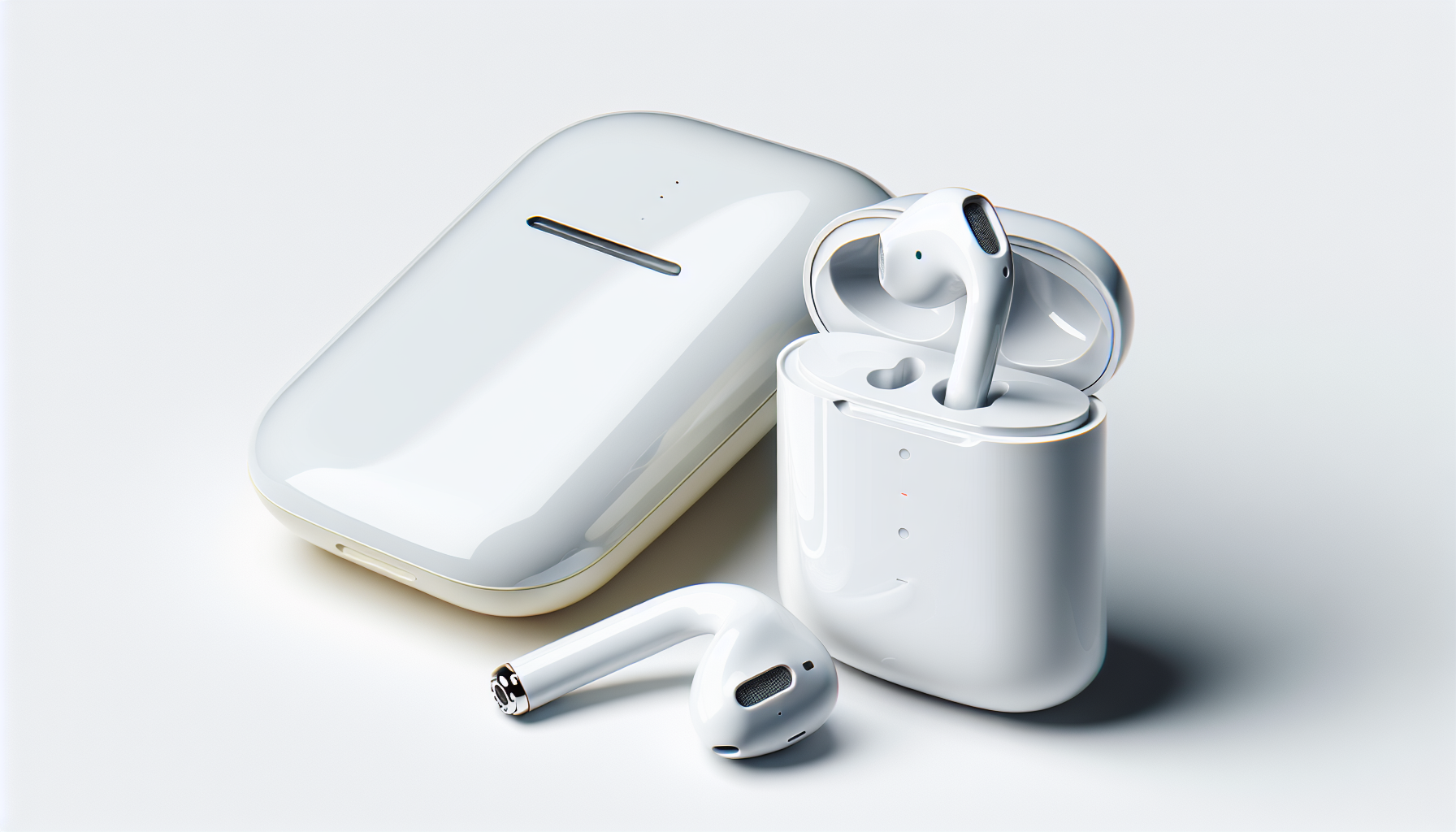
AirPods can work surprisingly well with hearing aids, but the best results depend on understanding compatibility, Bluetooth behavior, microphone routing, and the hearing features built into both Apple devices and modern hearing technology. In my work helping people set up hearing devices and consumer audio together, the same questions come up repeatedly: Will AirPods interfere with hearing aids, can you wear both at once, and when should you use one instead of the other? This guide answers those questions clearly and gives you a practical foundation for choosing the right setup.
“AirPods with hearing aids” is a broad topic because it covers several different use cases. Some people want to stream phone calls through hearing aids and keep AirPods only for music. Others wear one hearing aid and one AirPod. Some have mild hearing loss and are comparing AirPods Pro listening features with prescription hearing aids. Still others want to know whether AirPods will cause feedback, connectivity drops, or comfort problems around behind-the-ear devices. The right answer depends on the type of hearing aid, the AirPods model, your iPhone or iPad, and your listening goals.
It matters because hearing devices are no longer isolated medical products. They now sit inside a wider personal audio ecosystem that includes smartphones, smartwatches, video calls, media streaming, voice assistants, and accessibility settings. Apple’s ecosystem has made consumer earbuds easier to customize, while hearing aid manufacturers such as Phonak, ReSound, Oticon, Signia, Starkey, and Widex have improved direct streaming and app-based controls. That overlap creates convenience, but it also creates confusion. A hub article should sort the basics first, then point to the real tradeoffs: sound quality, speech clarity, battery life, comfort, and reliability.
At the simplest level, hearing aids are medical or regulated hearing devices designed to amplify and process speech and environmental sound according to a hearing profile. AirPods are wireless earbuds designed for media playback, calls, and general listening. They solve different problems. Hearing aids prioritize audibility, feedback management, directional microphones, compression, and all-day wear. AirPods prioritize convenience, active noise cancellation in some models, seamless pairing, and broad consumer use. When you understand that distinction, it becomes easier to decide whether AirPods should complement your hearing aids or try to substitute for them in limited situations.
How AirPods and hearing aids work together
AirPods and hearing aids can work together, but they do not function as one integrated system in most situations. Usually, your iPhone or iPad connects either to the AirPods or to the hearing aids for audio output, while the hearing aids continue amplifying environmental sound independently. If you wear behind-the-ear or receiver-in-canal hearing aids, an AirPod may physically compete for space around the outer ear. If you wear in-the-ear or completely-in-canal hearing aids, fitting an AirPod can be easier, though occlusion and pressure may still be issues.
Compatibility depends first on hearing aid technology. Many newer hearing aids support Made for iPhone connectivity or Bluetooth Low Energy audio features. Some, including certain Phonak models, use classic Bluetooth for broader device compatibility. AirPods, by contrast, pair through Apple’s standard wireless ecosystem and switch quickly among Apple devices signed into the same account. In practice, that means a person may need to choose between streaming directly to hearing aids for speech accessibility or switching to AirPods for music, workouts, or stronger noise control. Simultaneous full-function streaming to both is not the typical experience.
Microphone behavior matters just as much as speaker output. During phone calls on AirPods, the microphones on the AirPods usually capture your voice. During calls streamed to hearing aids, the hearing aid microphones and phone microphone behavior depend on the model and app settings. I regularly see users assume poor call quality is a hearing aid problem when the actual issue is microphone source selection, placement, or environmental noise. Knowing which device is handling incoming sound and which device is carrying your voice prevents hours of frustrating troubleshooting.
When to use hearing aids, AirPods, or both
The clearest rule is this: use hearing aids as your primary hearing solution if you have diagnosed hearing loss that affects daily communication. Use AirPods as a convenience audio device, and in some cases as a supplemental listening tool. AirPods are not built to replace the individualized fitting, real-ear verification, feedback control, and speech-focused amplification of prescription hearing aids. Even with advanced features, they remain consumer earbuds first.
That said, there are realistic situations where AirPods add value. If you already wear hearing aids, AirPods may be your preferred option for exercise, podcasts, travel, laptop meetings, or moments when you want strong integration with your Apple devices. If you have very mild hearing difficulty or only occasional trouble hearing speech in noise, features such as Transparency mode, Conversation Boost on supported models, Headphone Accommodations, and Live Listen can help in specific environments. These features may improve convenience, but they do not correct hearing loss with the precision of a clinical fitting.
Some users wear one AirPod and one hearing aid. This setup can work for phone calls or media when one ear has better residual hearing or when asymmetrical hearing loss changes comfort preferences. However, it introduces balance issues because each side processes sound differently and with different latency. Speech may seem pulled to one side, and music can feel uneven. In practice, this is often a temporary workaround rather than the best long-term arrangement.
| Situation | Best choice | Why |
|---|---|---|
| Daily conversation with diagnosed hearing loss | Hearing aids | They are fitted to your hearing profile and designed for speech audibility all day. |
| Music, workouts, and Apple device switching | AirPods | They offer easy pairing, stable media controls, and strong convenience features. |
| Restaurant or noisy social setting | Usually hearing aids | Directional microphones and custom programs typically outperform generic earbud settings. |
| Occasional listening help without prescription devices | AirPods in limited cases | Transparency, Live Listen, and custom audio settings may provide short-term support. |
| Professional hearing care and long-term hearing management | Hearing aids plus audiology support | Clinical assessment addresses hearing thresholds, speech understanding, and device optimization. |
Key Apple features that affect hearing support
Several Apple features shape how useful AirPods are for people with hearing loss. Headphone Accommodations lets users tune audio output for balanced tone, vocal range, and brightness, and can be customized using audiogram data in some workflows. Live Listen turns an iPhone or iPad into a remote microphone, sending the captured sound to compatible AirPods. In quiet situations, that can help when a speaker is several feet away. In noisy rooms, results are mixed because the phone captures everything around it, not just the person you want to hear.
Transparency mode, available on AirPods Pro and some later models, mixes outside sound with what you are listening to. For users who dislike the isolating feeling of sealed earbuds, this can be helpful. Conversation Boost aims to emphasize voices in front of you, which some users with mild high-frequency loss find useful at a table or in a car. However, these features do not replicate a hearing aid fitting formula such as NAL-NL2, nor do they account for the same feedback and loudness constraints an audiologist manages during verification.
Apple devices also include accessibility controls for audio routing, mono audio, background sounds, and hearing device shortcuts in Control Center. If you use hearing aids and AirPods interchangeably, those settings matter. A shortcut that changes routing or microphone behavior can make a setup feel broken when nothing is actually malfunctioning. I recommend testing one variable at a time: pairing, output routing, microphone source, then accessibility tuning. That stepwise approach solves most user problems faster than repeatedly reconnecting devices.
Comfort, fit, and feedback issues
Physical fit is one of the biggest overlooked factors in using AirPods with hearing aids. Behind-the-ear hearing aids already occupy space over and behind the pinna, and receiver wires or tubing can conflict with AirPods stems. On-ear pressure from eyeglasses can make the combination worse. Even when both devices technically fit, users may experience soreness after an hour, especially if domes, molds, or earmolds are already creating pressure inside the canal. Comfort is not a minor issue; if a setup is annoying, people stop using it.
Feedback is another common concern. Hearing aid feedback occurs when amplified sound leaks and is re-amplified by the microphones. AirPods themselves do not automatically cause feedback, but inserting or adjusting another device near the ear can change acoustic seal and microphone exposure. Open-fit hearing aids are especially sensitive to small placement changes. If feedback starts only when AirPods are inserted, the likely cause is altered fit, not electronic interference. A clinician can sometimes reduce the problem by adjusting gain, venting, dome style, or feedback cancellation settings.
Battery performance also changes when users switch between devices. Hearing aids lose charge faster during direct streaming, and AirPods naturally drain during long calls, noise cancellation, or frequent device switching. People who rely on both should plan around charging habits, carry a case or portable power source, and understand each device’s real endurance instead of the advertised maximum. In real daily use, call-heavy days often reduce battery life far more than passive listening does.
AirPods versus hearing aids: what each does better
Hearing aids do speech access better. That is the central point. Properly fitted hearing aids use frequency-specific amplification, wide dynamic range compression, noise reduction, feedback suppression, and directional processing to make speech more audible without making everything painfully loud. They can be programmed for restaurants, cars, music, outdoors, and tinnitus support. They are intended for sustained wear across an entire day, and they can be adjusted as hearing changes over time.
AirPods do consumer convenience better. Pairing is fast, call handoff is easy, controls are familiar, and the user experience is polished. For media consumption, many people prefer the bass response, stereo image, and simple integration of AirPods. Active noise cancellation on AirPods Pro can improve comfort in airplanes, trains, and offices, though users with hearing loss should be careful not to confuse reduced background noise with improved speech intelligibility. Those are related but not identical benefits.
Cost is a nuanced comparison. AirPods are far less expensive than most prescription hearing aids, but price alone is misleading because the products serve different purposes and sit under different support models. Hearing aids usually include professional assessment, fitting, verification, follow-up care, repairs, and counseling. That service component matters. A lower upfront cost on earbuds does not eliminate the need for diagnosis when hearing loss is affecting work, safety, or relationships.
How to choose the right setup for your hearing needs
Start with your hearing profile, not with the gadget. If you struggle to follow speech in quiet, frequently ask for repetition, turn up the television, or avoid social settings because hearing is exhausting, book a hearing evaluation first. A hearing test establishes thresholds, speech recognition, asymmetry, and medical red flags such as sudden loss, conductive components, or unilateral symptoms. Once that baseline exists, it is much easier to decide whether AirPods should be a companion device or whether hearing aids need to be the center of your setup.
Next, map your daily listening environments. Someone who spends hours on Zoom, commutes by train, and listens to podcasts may value AirPods highly even while wearing hearing aids the rest of the day. Someone who works face to face with clients in noisy spaces will usually benefit more from optimized hearing aid programs and accessories such as remote microphones. Think in terms of tasks: phone calls, meetings, music, television, restaurants, exercise, and one-to-one conversation. The best setup is the one that performs reliably in your highest-stakes situations.
Finally, ask practical questions before buying or changing anything. Does your hearing aid support direct iPhone streaming? Does your audiologist use real-ear measurement? Do your ears tolerate multiple devices comfortably? How important are active noise cancellation, sweat resistance, and laptop compatibility? Can you manage charging for two separate products? Clear answers prevent expensive trial and error. They also help you build a hearing ecosystem that supports communication rather than creating another layer of tech frustration.
AirPods with hearing aids is not an either-or decision for most people. It is a matching problem: the right device for the right listening task, with a clear understanding of what each product is designed to do. Hearing aids remain the best choice for treating ongoing hearing loss because they are fitted, adjustable, and built around speech access. AirPods remain useful for media, calls, travel, and occasional listening support inside Apple’s ecosystem.
The biggest mistake is expecting consumer earbuds to solve a medical hearing problem, or expecting hearing aids to behave exactly like entertainment earbuds. When users separate those roles, satisfaction improves quickly. They stop chasing impossible settings and start building routines that actually work: hearing aids for daily communication, AirPods for selected convenience tasks, and accessibility settings tuned carefully instead of randomly.
If you are deciding between AirPods and hearing aids, or trying to use both, begin with a hearing evaluation and then test your devices in the situations that matter most. That approach gives you better hearing, fewer connection headaches, and a setup you will actually use every day.
Frequently Asked Questions
Can AirPods interfere with hearing aids?
In most cases, AirPods do not directly interfere with hearing aids, but there are a few practical issues that can affect performance when both are used in the same environment. AirPods and modern hearing aids both rely on wireless technologies, including Bluetooth and other low-power radio protocols, so people often worry that the signals will clash. True signal interference is relatively uncommon with current devices, especially from reputable manufacturers, but connection instability, audio delay, or device-switching confusion can happen if your iPhone, iPad, or other source is trying to manage multiple audio accessories at once.
A more common problem is acoustic interaction rather than wireless interference. If a hearing aid microphone picks up sound leaking from an AirPod speaker, it can create distortion, echo, or feedback, particularly if the fit is poor or the hearing aid is already set to high amplification. This is more likely with behind-the-ear models, open-fit domes, or situations where the AirPod does not seal well. The exact experience depends on the hearing aid style, the AirPods model, your ear shape, and whether your hearing aids are streaming audio themselves.
There is also the issue of software behavior. Apple devices often try to route calls, media, and microphone input automatically. If your hearing aids are paired to the same iPhone as your AirPods, the phone may prioritize one device for incoming calls and another for media, which can make it seem like the devices are interfering when the real issue is audio routing. The best way to avoid confusion is to check your Bluetooth list, understand which device is connected for what purpose, and manually select the audio output when needed.
If you notice crackling, cutouts, or unpredictable behavior, start by testing each device separately, updating firmware on both the hearing aids and AirPods if available, and reviewing accessibility and Bluetooth settings on your Apple device. In short, AirPods and hearing aids can coexist quite well, but the smoothest experience comes from understanding that most problems involve fit, routing, and simultaneous connections rather than one device truly disrupting the other.
Can you wear AirPods and hearing aids at the same time?
Yes, some people can wear AirPods and hearing aids at the same time, but whether it is comfortable or useful depends heavily on the type of hearing aid and the reason you want to use both together. For example, someone with a receiver-in-canal or behind-the-ear hearing aid may find it physically difficult to place an AirPod in the same ear without pressure, poor seating, or movement that affects either device. People with in-the-ear or completely-in-canal hearing aids may have more or less room depending on how their earmolds sit and how their outer ears are shaped.
Even if both devices fit physically, there is still the question of sound quality. If you wear AirPods while your hearing aids are active, your hearing aids may continue amplifying environmental sound, including sound leaking from the AirPods. That can make music or speech sound layered, hollow, or overly bright. In other cases, it may work surprisingly well, especially at lower volumes or when the hearing aids are set to a more controlled listening program. Some users prefer to reduce hearing aid amplification or switch to a specific program when using AirPods to minimize overlap.
There are also microphone considerations. AirPods have built-in microphones for calls, voice assistant use, and certain Apple hearing features. Hearing aids also have microphones designed to amplify surrounding sound and, in many models, support direct streaming from phones. Wearing both at once can create a situation where one device is handling incoming audio while the other is still shaping ambient sound around you. That may be helpful if you want awareness of your environment, but it can also be distracting if your goal is clear, focused listening.
Practically speaking, many people do better using one system at a time for a given task. If your hearing aids support direct iPhone streaming, they are often the better choice for calls, navigation prompts, TV audio, and day-to-day spoken content because they are tuned to your hearing needs. AirPods may still be useful for casual listening, occasional calls, or Apple-specific features, especially if your hearing aids do not stream well or you want a familiar consumer audio experience. So yes, you can sometimes wear both, but comfort, audio quality, and real benefit vary from person to person.
Do AirPods work as a substitute for hearing aids?
AirPods can help in certain listening situations, but they are not a true substitute for prescription hearing aids for people with clinically significant hearing loss. Apple has built a number of hearing-related features into its ecosystem, including Live Listen, Headphone Accommodations, Conversation Boost on some models, and other accessibility tools that can make speech easier to hear in specific environments. These features can be genuinely useful, especially for people with mild hearing difficulties, temporary listening challenges, or those who want occasional support in noisy settings.
That said, hearing aids are purpose-built medical or health-regulated devices designed to match amplification to your hearing profile across different frequencies. They are meant to be worn consistently, optimized by fitting software, and adjusted for real-world listening environments. AirPods do not replace that level of personalization. They are also not designed to address the same range of hearing loss, long-term comfort needs, feedback management requirements, or all-day wear expectations that hearing aids are built for.
Another important difference is situational use. AirPods are best thought of as consumer audio devices with some hearing-assist features, not as full-time hearing treatment. They can be excellent for streaming media, taking calls, or temporarily improving access to nearby speech when paired with an iPhone. But they are less practical for all-day environmental listening, workplace conversations, and continuous wear across changing sound environments. Battery life, fit, and social practicality all matter here.
If you already wear hearing aids, AirPods may still play a useful supporting role. Some people use AirPods for entertainment while relying on hearing aids for daily communication. Others use AirPods accessibility features as a backup in situations where they left hearing aids behind or want a quick assistive option. The key point is that AirPods may complement hearing support, but they should not be viewed as a universal replacement for devices professionally selected and adjusted for your hearing needs.
How do Bluetooth connections and microphone routing work when using AirPods with hearing aids?
This is one of the biggest areas of confusion, because “connected” does not always mean “handling everything.” AirPods and many modern hearing aids can both pair with an iPhone, but they may not behave the same way. AirPods usually function like standard Bluetooth audio accessories for media playback, phone calls, and voice input. Hearing aids, especially Made for iPhone or compatible streaming models, may use a different connection method or a specialized low-energy audio system that Apple devices manage through accessibility settings as well as Bluetooth.
In practice, your phone may send ringtone audio, call audio, media audio, and microphone input through different paths depending on which device is active and what app you are using. For example, your AirPods might be selected for music playback while your hearing aids remain connected for system accessibility functions. During a call, the iPhone may choose the AirPods microphone if they are in your ears, but if the AirPods disconnect or are not fully active, the phone may fall back to its internal microphone or route sound another way. This can make setup feel inconsistent unless you deliberately check the output and input path each time.
If your hearing aids support hands-free calling, they may also compete with AirPods for call routing. This is not a defect so much as a modern-device management issue. Your iPhone is trying to decide which accessory should get priority. The most reliable approach is to open Control Center or the audio route menu during playback or a call and manually select the device you want. For hearing aids, you may also need to review Accessibility settings, hearing device controls, and any companion app from the hearing aid manufacturer.
Microphone routing matters because it affects not just what you hear, but how well other people hear you. AirPods microphones are generally designed for near-mouth voice pickup and call use. Hearing aid microphones are optimized primarily for capturing environmental sound for your listening benefit, though some models support call pickup in specific ways. If call clarity for the person on the other end is the priority, AirPods often perform more predictably. If hearing your caller according to your hearing settings is the priority, your hearing aids may be better. Knowing which microphone is active is often the difference between a setup that feels seamless and one that feels frustrating.
When should you use AirPods instead of hearing aids, and when are hearing aids the better choice?
The short answer is that hearing aids are usually the better choice for everyday hearing support, while AirPods are often best for specific listening tasks. Hearing aids are designed to help you move through daily life: conversations, environmental awareness, alerts, workplace communication, and speech understanding across changing environments. They are tailored to your hearing profile and built to be worn for long stretches. If your goal is to hear people clearly, stay aware of your surroundings, and maintain consistent support throughout the day, hearing aids should generally be your primary device.
AirPods make more sense when the task is centered on personal audio or Apple-specific convenience. They are often a strong option for listening to music, podcasts, videos, voice