
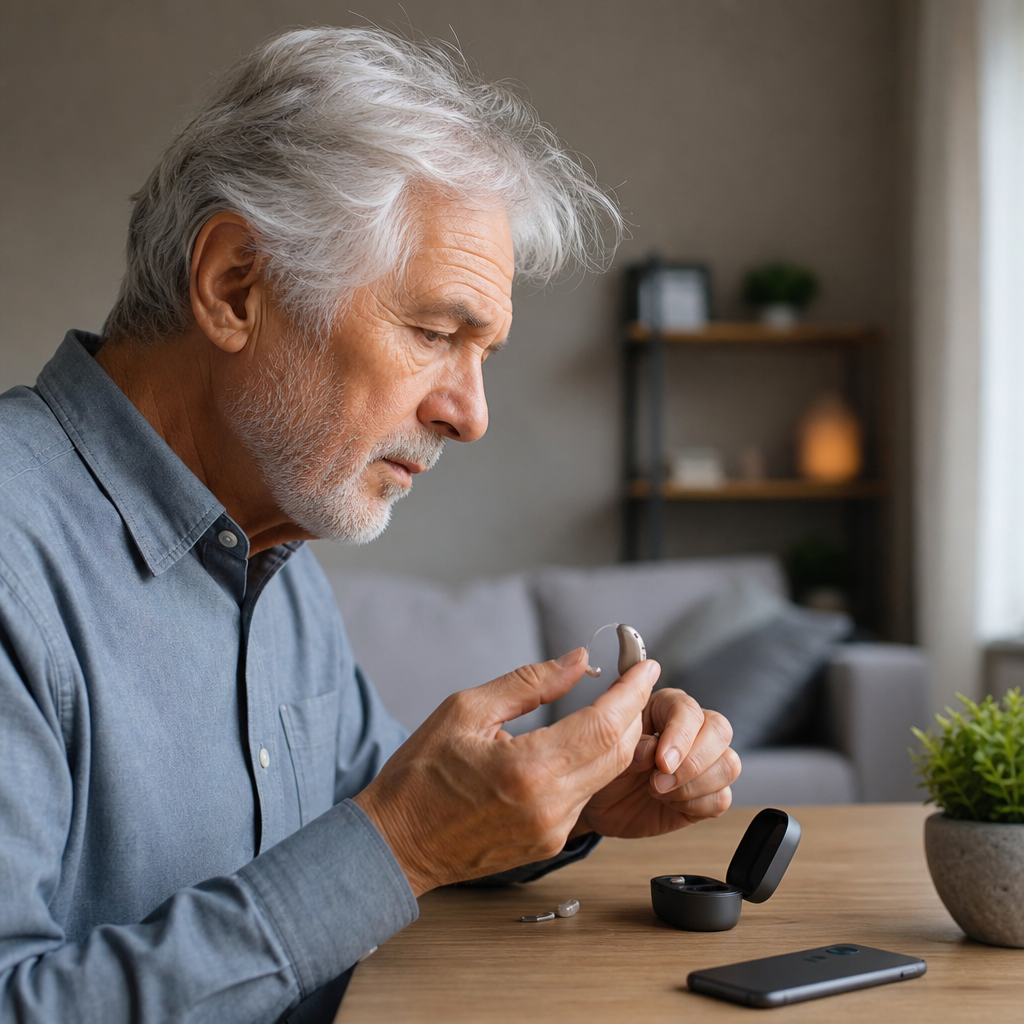
Oticon hearing aid troubleshooting starts with understanding how these devices work, what common faults look like, and which fixes are safe to try at home before you contact a hearing care professional. Oticon is one of the most established hearing aid manufacturers in the world, known for technologies such as BrainHearing, OpenSound Navigator, and rechargeable lithium-ion platforms. Yet even advanced devices can stop amplifying clearly, fail to connect to a phone, whistle unexpectedly, drain power too quickly, or behave inconsistently in moisture, wax, or noisy environments. A good troubleshooting process matters because hearing aids are medical devices, daily communication tools, and significant investments. When they fail, people often miss speech cues, withdraw from conversations, and experience preventable frustration. I have seen the same pattern repeatedly in clinics and support settings: most apparent “major” hearing aid problems turn out to be blocked wax filters, depleted batteries, incorrect insertion, disabled Bluetooth permissions, outdated firmware, or settings that no longer match the user’s hearing needs.
In practical terms, troubleshooting means identifying symptoms, isolating likely causes, and moving from the simplest fix to the most technical one. For Oticon hearing aids, that usually includes checking battery status, cleaning microphones and receivers, confirming the selected program, reviewing app and phone pairing, drying the instruments, and knowing when the issue points to hardware damage or hearing changes rather than a device fault. This hub article covers general Oticon hearing aid troubleshooting comprehensively, so it can serve as the starting point for every related topic under hearing aids. By the end, you will know what to test first, which signs require professional repair, and how to keep your devices working reliably between appointments.
How Oticon hearing aids function and why problems happen
Oticon hearing aids capture sound through microphones, process it digitally, and deliver amplified sound through a receiver into the ear canal. Depending on the model, the receiver may sit inside the aid shell or in the ear canal on a thin wire, as with receiver-in-canal designs such as Oticon Real, Oticon More, and Oticon Intent. Behind-the-ear and custom in-the-ear models use the same basic signal path: microphone input, digital signal processing, output through the speaker, and power from disposable zinc-air batteries or a rechargeable cell. Features such as directional microphones, tinnitus masking, telecoil support, feedback management, and Bluetooth streaming add convenience, but they also add more points where settings, debris, or software can interfere with performance.
Most failures are not catastrophic. Earwax can block the wax guard and make a hearing aid seem dead. Moisture can temporarily distort microphones and reduce volume. A domed earpiece inserted loosely can create feedback, the high-pitched whistling many users notice. A phone operating system update can break app permissions or Bluetooth pairing until the user reconnects the devices. Rechargeable hearing aids may appear unresponsive simply because the charger is not receiving power or the contacts are dirty. In my experience, users often assume the hearing aid itself is defective when the problem is actually in the accessories, the fit, or the ear canal.
It also helps to distinguish troubleshooting from reprogramming. Troubleshooting addresses performance faults such as no sound, weak sound, intermittent sound, poor connections, or charging issues. Reprogramming adjusts gain, speech handling, comfort in noise, and other fitting parameters in Genie 2, Oticon’s professional fitting software. If your hearing aid turns on and works consistently but speech suddenly seems unclear, the issue may be your hearing, your fit, or your prescription settings rather than a mechanical malfunction.
Quick diagnosis: the most common Oticon hearing aid problems and first fixes
When an Oticon hearing aid stops working properly, start with a structured check instead of changing multiple things at once. Confirm whether the problem affects one hearing aid or both. If only one side is weak, blocked wax, moisture, or receiver damage is more likely than a software issue. If both sides fail together, look first at charging, app controls, streaming settings, or environmental factors. Next, note whether the problem is constant or intermittent. Intermittent sound often points to battery contact issues, cracked receiver wires, or moisture. Constantly low volume often points to wax obstruction, microphone debris, or an outdated fit.
| Symptom | Likely cause | First action |
|---|---|---|
| No sound | Dead battery, blocked wax guard, charger issue | Replace or recharge, inspect wax filter, restart device |
| Weak sound | Wax, moisture, low battery, reduced gain setting | Clean receiver and microphones, dry aid, check volume |
| Whistling or feedback | Poor insertion, wax buildup, loose dome, hearing changes | Reinsert properly, clean ear tip, inspect fit |
| Intermittent sound | Receiver wire damage, battery contact fault, moisture | Test fresh power source, dry device, inspect wiring |
| Bluetooth not connecting | Pairing conflict, phone update, app permission problem | Forget device, reboot phone, re-pair in settings |
| Charging problems | Dirty contacts, charger power fault, battery degradation | Clean contacts, verify outlet, test charger indicators |
A simple listening test speeds up diagnosis. Cup the aid in your hand after turning it on. If you hear startup tones but speech remains faint in the ear, the output path may be blocked. If there are no tones, suspect power first. If streamed audio from a phone is clear but microphone sound is weak, the microphones may be obstructed while the receiver is still functioning normally. Those distinctions help you avoid unnecessary repairs and explain the issue more accurately if you need clinic support.
No sound, weak volume, and distorted audio
No sound is the most frequent Oticon complaint, and the fix is often straightforward. For disposable-battery models, open and close the battery door and install a fresh zinc-air battery after removing the tab and waiting about one to two minutes for full activation. Many users insert a battery too quickly and get inconsistent startup. For rechargeable models, place the hearing aids in the charger and confirm the indicator lights behave as expected for that model. If the charger shows no power, test a different wall outlet and cable if the setup allows it.
Next, inspect the wax guard, dome, or mold opening. Oticon miniRITE styles use replaceable ProWax or similar filters depending on the receiver type. If the filter looks opaque or packed, replace it rather than trying to scrape it clean. Also brush the microphone ports gently with the supplied cleaning tool. Never push a pin into microphone openings, because that can permanently damage the protective mesh and the microphone itself. If the device powers on but sounds weak or fuzzy, moisture is a strong suspect. Use a hearing aid dryer or desiccant kit overnight. Hair spray, sweat, humid bathrooms, and rain exposure frequently create temporary audio distortion.
Distorted sound can also come from physical receiver damage. I often find tiny cracks where the receiver wire meets the body on older receiver-in-canal aids. The hearing aid may still amplify, but speech sounds raspy, intermittent, or softer during head movement. If changing the wax filter and drying the aid does not help, a professional can run an electroacoustic check, replace the receiver, and compare output to target specifications. If the sound is clear but simply not loud enough anymore, schedule a hearing test. Progressive hearing loss can mimic device failure.
Feedback, discomfort, and fit-related issues
Feedback is the high-pitched whistle that occurs when amplified sound leaks out of the ear and re-enters the microphones. Oticon hearing aids use feedback management to reduce this, but software cannot compensate for every physical fit problem. The most common causes are shallow insertion, a dome that has hardened or loosened with age, wax blockage in the ear canal, or a hearing aid programmed with more gain than the current fitting can support. If feedback happens only while chewing or smiling, movement is changing the seal. A different dome size, a custom mold, or a receiver retention lock can solve it.
Discomfort is another general troubleshooting category that users often overlook. An aching ear can lead someone to wear the aid less, insert it partially, and then assume the sound issue is electronic. Check whether the dome is torn, whether the receiver wire length is correct, and whether the mold is creating a pressure point. Oticon miniFit receivers come in different wire lengths, and an incorrect length can make the aid sit awkwardly behind the ear or pull the tip out of position. If pain persists beyond a short adjustment period, do not force continued wear. A clinician should inspect the ear canal and the physical fit.
Earwax also plays a double role here. It can block sound output and change acoustics enough to trigger whistling. If you repeatedly replace filters but the aid still sounds poor, the ear itself may need professional wax removal. Cotton swabs usually push cerumen deeper and worsen the problem. In clinic, I have seen users bring in “faulty” aids that worked perfectly after cerumen management and a fresh dome.
Bluetooth, app, and streaming troubleshooting
Modern Oticon hearing aids often connect to smartphones for calls, audio streaming, remote adjustments, and app control through Oticon Companion or earlier app versions, depending on the product generation. Connection issues usually come from one of four causes: the hearing aids are still paired to another device, the phone’s Bluetooth cache is confused after an update, permissions were denied, or the hearing aids need to be restarted and paired again. The fastest fix is usually to forget the hearing aids in the phone’s Bluetooth menu, restart the phone, restart the hearing aids by turning them off and on or placing them briefly in the charger, and then pair again from scratch.
Compatibility matters. Not every Oticon model supports full hands-free calling on every phone, and support differs between iPhone and Android based on ASHA, MFi, or newer Bluetooth LE Audio implementations. If streaming drops out in crowded RF environments such as airports or busy offices, move the phone closer and keep it on the same side as the stronger hearing aid connection. Body position can attenuate the signal. If the app opens but does not detect the devices, confirm location and Bluetooth permissions, especially on Android. Operating system privacy settings routinely interrupt hearing aid control without making the reason obvious.
Accessory troubleshooting follows the same pattern. If a ConnectClip, TV Adapter, or remote microphone stops working, confirm firmware currency, pairing state, and power status before assuming accessory failure. Oticon frequently improves stability through firmware updates performed by a hearing care provider or, for some functions, through app-assisted processes. If phone audio streams clearly but calls do not route correctly, review the phone’s call audio settings. A Bluetooth icon alone does not guarantee the correct audio profile is active.
Charging, batteries, moisture, and maintenance
Reliable daily performance depends more on maintenance than many users realize. Rechargeable Oticon hearing aids should be placed in the charger every night, and the charger should sit on a stable surface with adequate ventilation. Dust, pocket lint, and skin oils can coat charging contacts and prevent a solid connection. Wipe the contacts gently with a dry, lint-free cloth; do not use alcohol unless the manufacturer specifically permits it for that component. If one hearing aid charges and the other does not, swap positions if the charger design allows or observe the indicator pattern to determine whether the issue follows the device or stays with the charging slot.
Disposable batteries deserve equal attention. Zinc-air cells lose life when stored loosely, exposed to heat, or carried with metal objects that can short them. Battery drain complaints are common after heavy streaming, frequent volume changes, or leaving the battery door closed overnight on non-rechargeable models. Opening the door when the aid is not in use helps preserve power and allows moisture to escape. With rechargeable instruments, battery aging becomes noticeable after a few years, especially with all-day streaming. Reduced runtime is a service issue, not a user failure.
Moisture control is essential. Even hearing aids with strong ingress protection are not waterproof. Sweat from exercise, sudden temperature changes, and humid climates can affect microphones and receivers. Use a drying cup or electronic dryer routinely, especially if you live in a coastal or tropical area. Replace domes and wax guards on schedule. Clean molds with methods approved for the specific material. Small maintenance habits prevent many of the “mystery faults” that users attribute to software or manufacturing defects.
When to seek professional Oticon hearing aid support
Home troubleshooting has limits, and knowing those limits protects both the device and your hearing. Seek professional help if the hearing aid remains dead after battery and cleaning checks, if sound is intermittent despite fresh power and dry conditions, if the shell is cracked, if the receiver wire is frayed, or if performance changed suddenly in a way that could reflect a medical issue. Sudden hearing loss, one-sided tinnitus, dizziness, ear pain, drainage, or a rapid drop in speech understanding should never be treated as routine hearing aid problems. Those symptoms require medical evaluation.
A hearing care professional can run listening checks, replace receivers, verify feedback calibration, inspect the ear canal, update firmware, and perform real-ear measurement to confirm that output still matches the prescription. Real-ear verification remains the gold standard because it measures actual amplified sound in your ear, not just the hearing aid’s theoretical settings. If you have been increasing volume repeatedly, struggling in places that used to feel manageable, or noticing more listening fatigue, the solution may be a revised fitting rather than a repair. That distinction matters because unnecessary repairs waste time while untreated hearing changes affect daily communication.
For warranty and repair questions, work through your dispensing clinic or an authorized Oticon provider. They can determine whether the device qualifies for in-warranty service, in-office repair, loaner support, or manufacturer assessment. Keep records of the model, serial number, purchase date, and the exact symptom pattern. Specific details lead to faster and more accurate support.
Oticon hearing aid troubleshooting is most effective when you follow a repeatable process: check power, inspect wax guards and domes, clean microphones, rule out moisture, verify fit, restart Bluetooth connections, and then involve a professional when the pattern suggests hardware damage, firmware issues, or hearing changes. Most everyday problems have practical causes and practical solutions. No sound usually traces to power or blockage. Whistling usually points to fit or wax. Streaming problems usually come from pairing conflicts, permissions, or compatibility limits. Charging complaints often come down to contact cleanliness, outlet problems, or battery age.
The main benefit of learning these steps is confidence. Instead of guessing or going without your hearing aids, you can identify what is wrong, fix simple issues quickly, and know when expert care is necessary. That reduces downtime, protects your investment, and keeps communication steady at home, at work, and in social settings. Use this guide as your general Oticon troubleshooting hub, then follow through with regular cleaning, scheduled hearing checks, and prompt support when symptoms persist. If your devices are not performing the way they should today, start with the checklist above and book a hearing care appointment if the basics do not restore clear, reliable sound.
Frequently Asked Questions
What are the most common Oticon hearing aid problems, and what should I check first?
The most common Oticon hearing aid issues include weak or no sound, distorted audio, whistling or feedback, rapid battery drain, charging problems, intermittent performance, and Bluetooth connectivity failures. In many cases, the first checks are simple and can save time before you assume the device is damaged. Start by confirming the hearing aid is powered on and set to an appropriate volume level or program. If you use rechargeable Oticon models, make sure the device was seated correctly in the charger and that the charger itself has power. If you use disposable batteries, check that the battery is fresh, inserted correctly, and that the battery contacts are clean.
Next, inspect the hearing aid for wax or moisture buildup. Earwax is one of the most common causes of reduced amplification or muffled sound, especially if the wax filter, dome, microphone ports, or receiver opening are blocked. Gently clean the hearing aid according to Oticon’s care instructions, and replace the wax guard or dome if needed. Also look for visible damage such as cracks in tubing, detached speakers, bent battery doors, or debris in the charging contacts. If the hearing aid has recently been exposed to humidity, sweat, rain, or accidental drops, those events can also explain sudden malfunction.
It is also helpful to compare both hearing aids if you wear a pair. If one works normally and the other does not, the issue is often localized to the non-working device rather than your phone, charger, or settings. If both stop working in the same way at the same time, the problem may involve pairing, charger power, program settings, or environmental interference. If basic cleaning, battery replacement, charging, and restarting do not solve the issue, the next step is usually to contact your hearing care professional for a deeper inspection and possible reprogramming or repair.
Why is my Oticon hearing aid producing weak, muffled, or no sound?
Weak, muffled, or absent sound usually points to a blockage, power issue, moisture exposure, receiver problem, or an incorrect setting. The first place to look is the wax guard or filter, because even a partial blockage can dramatically reduce clarity and loudness. Domes and sound outlets can also collect wax, skin debris, or dust over time. Replacing a clogged wax guard and cleaning the microphone inlets often restores normal performance quickly. If your Oticon device uses thin tubing or custom molds, those parts should also be checked for obstruction, hardening, or moisture condensation.
Battery status is another major factor. A weak disposable battery may still power the hearing aid but fail to provide stable amplification, while a rechargeable device that did not fully charge may seem to fade in and out. Remove and reinsert the battery if applicable, or place the rechargeable hearing aid back in the charger and verify that the charging indicators respond normally. Restarting the hearing aid can help clear temporary glitches. If the device connects to the Oticon Companion app or related controls, make sure volume has not been reduced accidentally and that you are not on a program intended for quiet or limited amplification.
If cleaning and power checks do not help, consider whether the issue is situational. For example, hearing aids may seem weak in noisy environments if microphones are partially blocked or if directional settings are not functioning properly. A damaged receiver speaker can also cause low or crackling sound, especially if the problem affects one ear more than the other. If the sound remains faint after replacing consumable parts and testing in different settings, professional service is the safest option. Your hearing care provider can test the device output, inspect internal components, and confirm whether the problem is mechanical, electronic, or related to your hearing prescription.
How do I stop my Oticon hearing aid from whistling or causing feedback?
Whistling, also called acoustic feedback, happens when amplified sound escapes from the ear and gets picked up again by the hearing aid microphone. With Oticon hearing aids, this can occur if the device is not seated properly, the dome or earmold is the wrong size, earwax is preventing a good fit, or the hearing aid has been turned up beyond what the seal can handle. Start by removing and reinserting the hearing aid carefully so it sits exactly as intended. A poorly seated receiver-in-canal device is one of the most common reasons for sudden whistling.
Then check the ear canal and the hearing aid tip. Earwax can change the acoustics of the ear canal and force sound back out, which creates squealing even if the device itself is fine. A torn dome, hardened earmold, loose tubing, or an ill-fitting custom mold can produce the same result. If feedback happens mostly when hugging someone, wearing a hat, talking on the phone, or cupping your hand near the ear, that is often normal external feedback. If it happens constantly while the hearing aid is in place, fit and maintenance problems are more likely.
Oticon hearing aids include feedback management features, but those systems cannot always compensate for a physical seal problem or a component issue. If replacing the dome or wax guard and reinserting the aid does not solve it, the hearing aid may need professional adjustment. Your provider can run feedback calibration, verify that the receiver strength matches your hearing loss, and determine whether changes in your ear canal, hearing levels, or earmold fit are causing the whistling. Persistent feedback should not be ignored, because it can reduce speech understanding and make the hearing aid uncomfortable to wear.
Why won’t my Oticon hearing aid connect to my phone or Bluetooth devices?
Bluetooth problems with Oticon hearing aids are usually caused by pairing conflicts, outdated software, low battery power, phone setting issues, or temporary communication glitches. Begin by confirming that your specific Oticon model supports direct streaming or app control with your phone type, because compatibility varies by model and operating system version. Make sure Bluetooth is turned on in the phone settings, the hearing aids are powered on, and the batteries are sufficiently charged. Low power can interfere with stable wireless performance even if the hearing aid still seems to function acoustically.
Next, restart both the hearing aids and the phone. For Oticon hearing aids, this often means turning the devices off and on again, or placing rechargeable models briefly in the charger and removing them. If the hearing aids still do not connect, unpair them from the phone and complete the pairing process again from the beginning. It is also worth closing and reopening the Oticon app if you use one, and checking whether your phone’s operating system or the app itself needs an update. Sometimes the connection issue is not the hearing aid at all, but an app permission problem or a background Bluetooth conflict with another paired device such as a smartwatch, tablet, or car system.
If streaming cuts in and out, distance and interference may be factors. Keep the phone reasonably close, avoid placing it behind your body, and test in a less crowded wireless environment. If only one hearing aid connects, the devices may need to be re-synced or re-paired as a set. If nothing restores connection, your hearing care professional can verify firmware status, confirm compatibility, and help reset the wireless pairing properly. This is especially important after major phone software updates, as those can affect hearing aid communication behavior unexpectedly.
When should I troubleshoot my Oticon hearing aid at home, and when should I contact a hearing care professional?
Home troubleshooting is appropriate for routine issues such as clogged wax guards, dirty domes, low batteries, charging uncertainty, accidental volume changes, mild feedback from poor insertion, or temporary Bluetooth pairing problems. These are common day-to-day problems, and most users can address them safely by cleaning the hearing aid, replacing wax filters or domes, charging the device correctly, restarting it, and checking phone settings. Following the manufacturer’s cleaning and care guidelines is important, because using the wrong tools, liquids, or methods can damage delicate microphones, receivers, or charging contacts.
You should contact a hearing care professional if the hearing aid has no sound after basic troubleshooting, continues to whistle despite proper fit and cleaning, drains power unusually fast, fails to charge repeatedly, sounds distorted or crackly, or has been exposed to significant moisture or physical impact. Professional help is also recommended if the hearing aid becomes hot, shows signs of corrosion, will not pair after repeated resets, or performs differently even though it appears physically clean and intact. In those cases, the issue may involve internal electronics, receiver failure, software configuration, or the need for firmware updates and real-ear verification.
It is also wise to seek professional support when the problem may not be the device alone. Hearing changes, earwax impaction, ear canal irritation, or a shift in your prescription can make a working hearing aid seem faulty. If speech sounds less clear, background noise feels harder to manage, or one ear suddenly seems weaker than the other, your provider can evaluate both the hearing aid and your hearing health. As a rule, safe user maintenance covers cleaning, consumable replacement, and basic resets. Anything involving internal repair, repeated malfunction, or possible hearing changes should be handled by a qualified hearing care professional.