
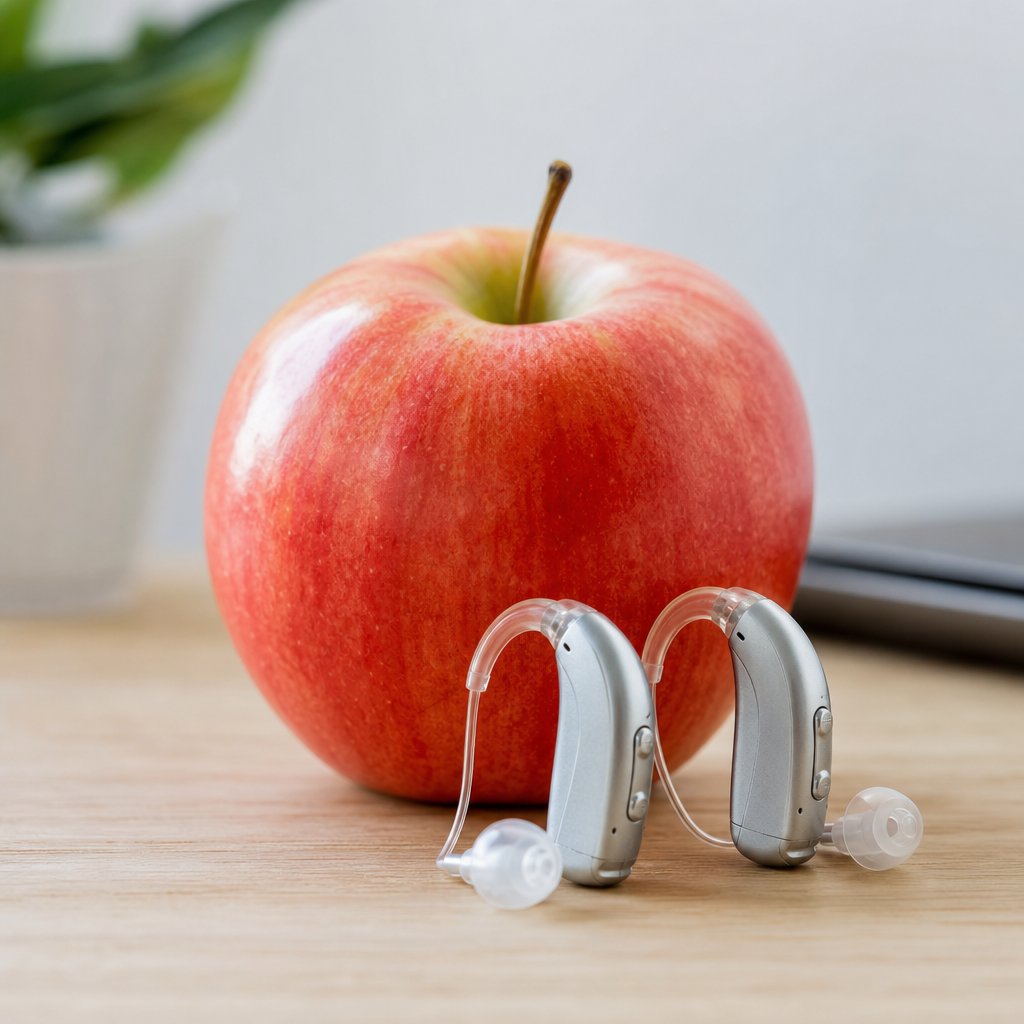
Apple has turned hearing support from a niche medical category into a mainstream consumer technology topic, and that shift matters for anyone researching hearing aids Apple features, compatibility, and real-world value. In this guide, “hearing aids Apple” refers to the full ecosystem connecting iPhone, iPad, Apple Watch, AirPods, and Made for iPhone hearing devices. It includes direct audio streaming, call handling, accessibility controls, Live Listen, sound amplification, hearing health tracking, and setup tools that reduce friction for people with mild difficulty hearing conversations or those already wearing prescription hearing aids.
The reason this topic deserves a hub article is simple: many buyers do not know where Apple’s role begins and ends. Apple does not manufacture traditional prescription hearing aids in the same way as Phonak, Oticon, ReSound, Signia, Starkey, or Widex. Instead, Apple provides the software platform, wireless standards support, accessibility settings, and consumer earbuds that can function as hearing assistance tools in certain situations. In practice, I have seen this distinction confuse shoppers, family caregivers, and even clinic staff. A patient may ask whether AirPods replace hearing aids, whether an audiologist is still necessary, or whether any hearing aid works equally well with an iPhone. The answer to all three questions is no, but the explanation is nuanced.
Apple matters because it has normalized hearing access features that were once buried inside specialist devices. Features like direct streaming, customizable control center shortcuts, headphone accommodations, noise controls, and health-oriented hearing metrics have made support easier to access and easier to discuss. For a user with hearing loss, that means fewer barriers to taking phone calls, joining video meetings, watching television with captions and streamed audio, or hearing announcements in public. For families, it means easier onboarding and less intimidation. For clinics and retailers, it means clients often arrive already invested in an Apple-centered listening workflow.
Understanding this category starts with three key terms. First, hearing aids are regulated medical devices designed to amplify and process sound according to an individual hearing profile. Second, hearing assistance features are software or hardware tools that improve audibility or clarity but are not always substitutes for fitted hearing aids. Third, compatibility refers not only to Bluetooth pairing, but to the quality of integration: direct streaming, microphone routing, battery reporting, app control, and low-latency performance. Once those definitions are clear, it becomes easier to evaluate the Apple ecosystem without overestimating what it can do or underestimating how useful it can be for the right person.
What Apple actually offers for hearing support
Apple’s hearing support ecosystem has four main pillars: iOS accessibility features, support for Made for iPhone hearing aids, AirPods listening tools, and broader health integration through apps and connected devices. On iPhone and iPad, users can access hearing-related settings under Accessibility, where they can adjust audio routing, enable compatibility modes, add hearing devices, and set shortcuts for faster control. Apple also supports features that improve speech intelligibility, such as Headphone Accommodations, mono audio, left-right balance control, background sounds, and captioning support across services.
Made for iPhone hearing aids are especially important. This standard allows supported hearing aids to connect directly to Apple devices without requiring an intermediary pendant or streamer in many cases. That direct connection improves convenience and often lowers latency for calls, FaceTime, music, and video audio. In real fitting appointments, one of the strongest selling points for iPhone users has been exactly this simplicity. Patients who struggled with older streamers often adapt much faster when the phone becomes the remote control and audio source they already understand.
AirPods occupy a different category. They are earbuds first, but Apple has added listening assistance features that can help some users in controlled situations. Live Listen uses the iPhone microphone to capture sound and send it to AirPods, effectively acting like a personal microphone system. Conversation Boost on certain AirPods models emphasizes voices in front of the listener. Adaptive audio controls, transparency modes, and personalized audio settings can also improve everyday listening comfort. These are useful tools, but they do not replace diagnostic evaluation, real-ear measurement, or advanced multichannel hearing aid fitting.
Apple Watch contributes by giving users discreet control over volume, media playback, call handling, and some hearing-related alerts without pulling out the phone. In day-to-day use, that small convenience matters more than marketing suggests. People are more likely to use support features consistently when the controls are frictionless.
How hearing aids connect to iPhone and why compatibility matters
Compatibility is the most practical question behind the phrase hearing aids Apple. The highest level of integration traditionally comes from Made for iPhone devices, which support direct pairing in iOS under Accessibility > Hearing Devices. Once paired, the user can stream calls, notifications, music, podcasts, navigation prompts, and video audio directly into both hearing aids. iPhone can also function as a basic remote, allowing volume changes, program switching, and battery checks without opening a manufacturer app.
Not every hearing aid brand offers the same Apple experience. ReSound was an early leader in direct iPhone connectivity. Oticon, Signia, Starkey, Widex, and others have also supported strong iOS integration across many current models, though features vary by product generation and phone operating system. Some devices use Bluetooth Low Energy protocols optimized for hearing devices, while others rely on newer universal Bluetooth approaches. The difference affects battery drain, latency, call stability, and whether users can stream from additional Apple hardware with equal reliability.
In my experience, buyers often assume “Bluetooth compatible” means identical performance. It does not. One hearing aid may pair technically with an iPhone but deliver weaker app reliability or require an accessory for certain media sources. Another may support hands-free calling on newer hardware while an older model streams audio one way only. Before buying, users should confirm exact model compatibility on both the hearing aid manufacturer’s support page and Apple’s device support documentation.
| Apple-related option | Best for | Main benefit | Main limitation |
|---|---|---|---|
| Made for iPhone hearing aids | Diagnosed hearing loss | Direct streaming and medical-grade fitting | Higher cost and professional setup |
| AirPods with Live Listen | Situational listening help | Low barrier entry and simple Apple integration | Not customized to an audiogram |
| Headphone Accommodations | Mild listening preferences | Personalized media playback tuning | Limited effect in complex live environments |
| Third-party hearing apps | Basic experimentation | Fast testing and convenience | Variable quality and unclear clinical value |
The takeaway is direct: if you have clinically significant hearing loss and use Apple devices every day, choose hearing aids with proven iPhone integration rather than treating compatibility as an afterthought. It will affect call quality, television listening, work productivity, and overall satisfaction.
AirPods versus traditional hearing aids: what they can and cannot do
This is the comparison most readers want answered quickly. AirPods can help in some listening scenarios, but they are not equivalent to fitted hearing aids for most people with ongoing hearing loss. Traditional hearing aids are built around an audiogram, prescription targets, frequency shaping, noise management, feedback cancellation, directional microphones, compression systems, and verification methods such as real-ear measurements. Those details are not optional. They are the reason speech becomes clearer without making every sound painfully loud.
AirPods, by contrast, are consumer audio devices with hearing-related features layered on top. They can be excellent for media listening, calls, and short-term support in quiet to moderately noisy settings. Live Listen can be helpful across a dinner table or in a lecture when the phone is placed near the speaker. Transparency modes can preserve environmental awareness better than older noise-isolating earbuds. Personalized sound settings can make voices seem more distinct. For a person with very mild high-frequency difficulty, that may feel surprisingly helpful.
But limitations appear quickly. AirPods do not sit as securely or discreetly for all-day wear as hearing aids designed around open domes, custom earmolds, or receiver-in-canal shells. They do not provide the same level of individualized amplification across frequencies. Wind noise, occlusion, battery cycles, and microphone placement affect long-term usability. Most importantly, they do not address the medical side of hearing care: diagnosing asymmetric loss, ruling out red flags, documenting progression, or fitting to validated targets.
A useful rule is this: AirPods are best viewed as hearing assistance tools inside the Apple ecosystem, while hearing aids are treatment devices. For occasional support, AirPods may be enough. For persistent communication difficulty, social withdrawal, tinnitus management needs, or measurable hearing loss, proper hearing aids remain the better solution.
Accessibility features every Apple user with hearing concerns should know
Apple has packed its devices with hearing-focused settings, and many users never turn them on. Start with Hearing Devices in Accessibility if you wear compatible hearing aids. This menu handles pairing, live microphone listening, control shortcuts, and stream routing. Next, review Headphone Accommodations, which can adjust audio tuning for voice range, brightness, and softness when using supported headphones and AirPods. This is especially useful for podcasts, calls, and streamed video where speech definition matters more than bass impact.
Sound Recognition can alert users to important environmental sounds such as alarms, doorbells, or sirens. While it should not be your only safety strategy, it adds meaningful support for people who miss household cues. Live Captions and broader caption controls help during calls, videos, and meetings, reducing listening fatigue even for users who wear hearing aids. Background Sounds can mask intrusive tinnitus for some people, though dedicated tinnitus programs in hearing aids may be more effective for long sessions.
Users should also pay attention to volume health features. Long exposure to high output through earbuds can worsen listening problems over time. Apple’s headphone exposure tracking and alerts encourage safer habits, and that matters because untreated hearing concerns and poor listening hygiene often overlap. In practical terms, if you constantly increase volume to overcome clarity issues, the better next step is hearing evaluation, not simply more volume.
Buying guidance, setup tips, and when to see an audiologist
If you are building an Apple-friendly hearing solution, begin with your actual need, not the gadget. If speech is hard to follow in restaurants, meetings, worship spaces, or family gatherings, book a hearing test. If you mainly want better call audio or occasional amplification during travel, Apple’s built-in tools may be enough to try first. If you already wear hearing aids and plan to upgrade, ask specifically about iPhone pairing, app reliability, hands-free calling support, recharge performance, and remote adjustment options.
For buyers comparing devices, prioritize fit and follow-up over feature lists. The best hearing aid on paper will disappoint if it whistles, feels uncomfortable, or is programmed poorly. A competent clinician should perform comprehensive testing, discuss listening goals, and verify settings using best-practice methods. On the Apple side, make sure your iPhone is updated, Bluetooth is stable, and device-specific apps are installed only if recommended for your model. Resetting pairings and limiting competing Bluetooth accessories often solves many early frustrations.
There are also clear moments when professional care is nonnegotiable. Seek medical or audiological assessment promptly for sudden hearing loss, one-sided hearing decline, dizziness, ear pain, drainage, significant tinnitus changes, or a feeling of blocked hearing that does not resolve. These issues are not consumer electronics problems. They require clinical evaluation.
Apple has made hearing support more visible, more usable, and more integrated into everyday life. That is a genuine benefit. The smartest approach is to use Apple’s ecosystem as a powerful platform, then match it to the right level of hearing care. If you want better hearing with fewer compatibility headaches, start by identifying your listening needs, checking device support, and getting a proper hearing assessment when symptoms persist.
Frequently Asked Questions
1. What does “hearing aids Apple” actually mean?
“Hearing aids Apple” is a broad term people use when they are researching how Apple devices support hearing assistance, hearing accessibility, and hearing health features. It does not refer to a single Apple-branded prescription hearing aid. Instead, it describes the wider Apple ecosystem and how it works with compatible hearing technology, including Made for iPhone hearing aids, certain Bluetooth-enabled hearing devices, AirPods features, iPhone accessibility tools, iPad controls, Apple Watch integrations, and sound-related health tracking.
For many users, the biggest appeal is that Apple has made hearing support easier to access and easier to understand. Rather than relying only on traditional clinic-based workflows, users can often adjust settings, stream calls and media directly, manage accessibility shortcuts, and monitor certain hearing-related metrics from devices they already own. That convenience has helped move hearing support into the mainstream, especially for people who want practical day-to-day tools alongside professional care.
In real-world terms, “hearing aids Apple” can include direct audio streaming from an iPhone to compatible hearing aids, using the iPhone as a remote control for volume and program changes, leveraging Live Listen to amplify nearby sound through supported audio devices, and using Apple health and accessibility settings to personalize listening experiences. The exact experience depends on the hardware you use, your hearing needs, and whether you are using prescription hearing aids, over-the-counter hearing support products, or consumer audio devices with hearing-related features.
2. Which Apple devices work best with hearing aids and hearing support features?
The iPhone is usually the center of the Apple hearing support experience. It offers the strongest combination of compatibility, accessibility settings, call and media handling, microphone routing, sound adjustments, and direct streaming support for Made for iPhone hearing aids. Many users start with the iPhone because it allows them to pair compatible hearing aids, manage audio routing, access accessibility shortcuts quickly, and control hearing-related settings from one familiar place.
The iPad can also be useful, especially for media consumption, FaceTime, and app-based adjustments, but most people rely on the iPhone for everyday hearing device management because it is always with them. Apple Watch adds convenience by making it easier to control playback, answer calls, view notifications, and in some cases interact with hearing-related apps without needing to pull out the phone. That can be especially helpful in meetings, at work, or in social settings where discreet control matters.
AirPods are another major part of the conversation. While they are not the same as prescription hearing aids, they can offer useful hearing-related functions such as Live Listen, Conversation Boost on some models, personalized audio features, and hearing health-oriented settings depending on the generation and software version. These tools may be helpful for casual listening support, but they are not a universal replacement for clinically fitted hearing aids for people with diagnosed hearing loss.
Overall, the best Apple device setup depends on your goals. If you want the most complete hearing support workflow, an iPhone paired with compatible hearing aids is usually the strongest option. If you want flexible everyday convenience, adding Apple Watch and AirPods can extend that experience. The key is checking model compatibility, software requirements, and whether your hearing devices are specifically designed to work well with Apple’s ecosystem.
3. How do Apple devices connect to hearing aids, and what is “Made for iPhone”?
“Made for iPhone,” often abbreviated as MFi, is Apple’s compatibility standard for certain hearing aids and hearing devices that are designed to connect more directly and smoothly with Apple products. With MFi hearing aids, users can often stream phone calls, music, videos, podcasts, and other audio directly from an iPhone, iPad, or sometimes iPod touch without needing as many extra accessories as older hearing aid systems required. This has been one of the most important advances in making hearing technology feel more integrated and consumer-friendly.
The connection process is usually handled through the iPhone’s accessibility or Bluetooth-related settings, where compatible hearing aids can be detected, paired, and managed. Once connected, users may be able to control volume independently for each side, switch listening programs, route audio, and use hearing aid shortcuts for quick access. The benefit is not just convenience but also usability. People can manage their hearing devices from a familiar interface rather than depending entirely on separate remotes or in-office adjustments.
It is important to understand that not all hearing aids work the same way with Apple devices. Some are true MFi hearing aids, while others use standard Bluetooth approaches or require manufacturer apps to unlock full functionality. Performance can vary depending on the hearing aid brand, device generation, iOS version, and environmental factors such as signal interference. If direct streaming quality and seamless control are priorities, choosing a hearing aid specifically marketed as compatible with Apple devices is often the safest route.
For buyers, this means compatibility should be part of the decision process from the start. Before purchasing, it is smart to confirm whether your preferred hearing aid model supports direct iPhone streaming, app-based adjustments, hands-free call functions, and firmware updates through Apple devices. That extra research can make a major difference in long-term satisfaction.
4. Can AirPods replace hearing aids if I want Apple-based hearing support?
AirPods can be helpful for some listening situations, but they are not a universal replacement for prescription hearing aids. Apple has added impressive features that can support hearing accessibility and sound awareness, including Live Listen, certain personalized listening adjustments, and conversation-focused enhancements on supported models. These tools may be useful for people with mild listening difficulties, occasional situational challenges, or those who want extra help in noisy environments.
However, prescription hearing aids are medical-grade devices fitted for an individual’s hearing profile. They are designed to amplify sound in a far more targeted and personalized way across different frequencies, listening environments, and daily routines. Hearing aids also tend to include features that are optimized for long wear, feedback management, speech clarity, directional microphones, and custom tuning from a hearing care professional. That level of precision matters, especially for people with moderate to severe hearing loss or complex hearing needs.
AirPods may work well as a supplement rather than a substitute. For example, a user may rely on prescription hearing aids during the day but use AirPods for certain media features, phone calls, or temporary listening support tied to Apple’s accessibility functions. In some cases, people who are just starting to notice hearing changes use AirPods features as an entry point before seeking a formal hearing evaluation. That can be useful, but it should not delay professional assessment if speech understanding, communication, or overall hearing ability is declining.
The bottom line is that AirPods can absolutely be part of an Apple-based hearing support strategy, but they should not automatically be treated as equivalent to properly fitted hearing aids. If you are deciding between convenience and clinical performance, your hearing level, daily communication demands, and need for personalized fitting should guide the choice.
5. Are Apple hearing support features worth it for everyday use?
For many people, yes. Apple’s hearing-related features are valuable because they bring convenience, accessibility, and better daily control into one connected system. Instead of treating hearing support as a separate and complicated category, Apple makes it easier to integrate audio streaming, calls, environmental listening tools, and quick setting changes into normal phone use. That matters in everyday life, where ease of use often determines whether a feature gets used consistently or ignored.
One major advantage is direct access. Users can often answer calls, stream audio, adjust listening settings, and activate accessibility tools without carrying extra remotes or learning unfamiliar interfaces. Another benefit is ecosystem consistency. If you already use an iPhone, iPad, Apple Watch, or AirPods, the learning curve is usually lower. That can improve confidence, especially for users who want hearing support without feeling overwhelmed by technical barriers.
There is also real value in Apple’s focus on hearing health and accessibility awareness. Features tied to sound exposure, listening personalization, and communication support have helped more consumers pay attention to their hearing earlier than they otherwise might. That is especially important because many people delay addressing hearing concerns until the problem noticeably affects work, relationships, or quality of life.
That said, “worth it” depends on expectations. Apple’s ecosystem is excellent for connectivity, convenience, and user control, but it does not replace the importance of choosing the right hearing solution for your specific needs. For someone with diagnosed hearing loss, the best results often come from combining Apple compatibility with professionally selected hearing aids. For someone with mild concerns or situational challenges, Apple features alone may provide meaningful help. In either case, the strongest value comes from understanding what Apple does best: making hearing support more connected, more visible, and more practical in everyday life.