
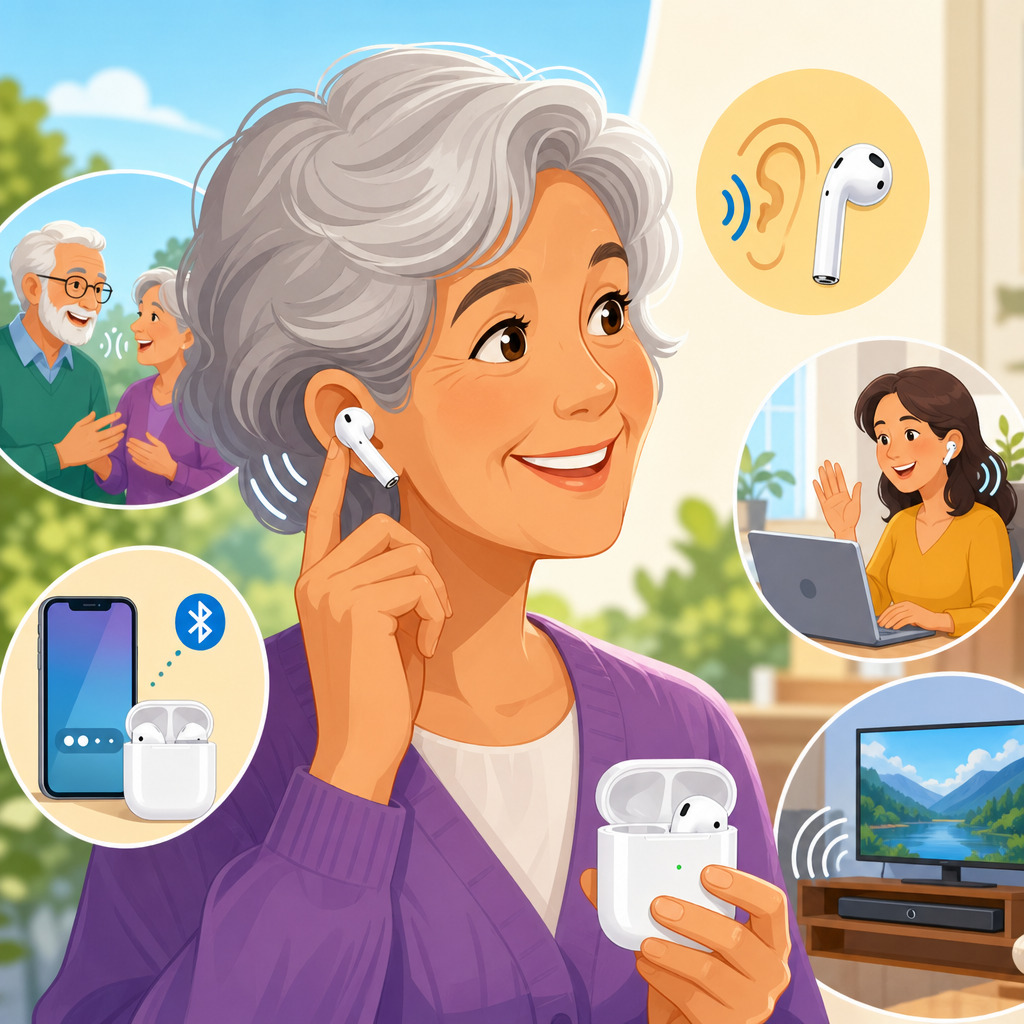
Apple AirPods are not marketed as medical hearing aids, yet many people now use them in hearing support roles because modern AirPods include audio features that can amplify speech, reduce background noise, and personalize sound in ways that closely resemble entry-level assistive listening devices. In my work reviewing hearing technology for everyday users, I have repeatedly seen the same pattern: someone notices conversation has become harder in restaurants, meetings, or family gatherings, but they are not ready for traditional hearing aids, so they look at devices they already own. That is where the idea of Apple AirPods as hearing aids enters the picture.
This topic matters because hearing difficulty is common, gradual, and often untreated. Mild to moderate hearing loss can affect communication, concentration, job performance, and social confidence long before a person schedules a clinical hearing test. AirPods are familiar, widely available, and comparatively affordable if someone already lives in the Apple ecosystem. Features such as Live Listen, Conversation Boost, Transparency mode, Headphone Accommodations, and personalized audio settings can make speech easier to hear in specific situations. At the same time, these tools have limits. They do not replace a professional diagnosis, they are not suitable for every hearing profile, and they do not deliver the same fitting precision, feedback management, battery life, or medical oversight as prescription hearing aids.
For readers looking for a practical starting point, this guide covers the general landscape. It explains what AirPods can do, who may benefit, where they fall short, what settings matter most, and how to think about them within the broader hearing aids category. If you want one clear definition, use this: AirPods can function as consumer hearing support devices for some people in some environments, but they are not a complete substitute for clinically fitted hearing aids when hearing loss is significant, medically complex, or consistently disruptive.
What Apple AirPods can and cannot do for hearing support
The most important distinction is between amplification and treatment. AirPods can amplify incoming sound and shape how that sound reaches your ears. In practice, that means they may help you hear a nearby speaker more clearly, especially when paired with an iPhone microphone through Live Listen or when using Transparency mode on AirPods Pro. They can also apply frequency-specific adjustments through Headphone Accommodations, which changes the tonal balance so speech consonants may become easier to distinguish. For people with very mild hearing difficulty, situational listening challenges, or temporary communication needs, this can be genuinely useful.
What they cannot do is replace the full clinical process behind hearing aids. A hearing aid fitting is based on an audiogram, real-ear measurements, target gain formulas such as NAL-NL2 or DSL, and device programming that adjusts amplification by frequency, loudness input, and listening environment. AirPods do not provide that medical-grade fitting workflow. They also lack the all-day wear design, dedicated telecoils in many models, physician referral pathways, and long-term hearing care support that matter for ongoing hearing management. When I have compared AirPods with properly fitted hearing aids in difficult environments, the gap becomes obvious once noise increases or the hearing loss pattern becomes more than mild.
Still, the appeal is understandable. AirPods are discreet, familiar, and integrated with devices people already use. If someone wants to test whether sound enrichment helps before investing in hearing aids, AirPods may serve as a bridge. They are best understood as accessible assistive listening tools with hearing-friendly features, not as direct one-to-one replacements for prescription devices.
Key features that make AirPods relevant to hearing help
Several Apple features drive interest in AirPods for hearing support. Live Listen turns an iPhone or iPad into a remote microphone. You place the phone near the person speaking, and the sound is streamed to your AirPods. In a quiet room, this can noticeably improve speech pickup because the microphone is closer to the talker than your ears are. I have seen this work well at dinner tables, in lectures, and during one-on-one conversations across a desk. The biggest benefit comes from reducing distance, which is one of the main enemies of speech clarity.
Transparency mode, especially on AirPods Pro, lets in environmental sound while you wear the earbuds. Conversation Boost, available on compatible AirPods Pro models, emphasizes voices coming from in front of you and allows some ambient noise reduction. Headphone Accommodations in iOS adds further tuning by boosting soft sounds and adjusting audio to support speech intelligibility. Users can also load audiogram data from the Health app if they have hearing test results from supported sources, which gives a more personalized starting point than generic settings alone.
There are tradeoffs. Earbud fit affects both comfort and perceived amplification. Battery life is limited compared with most hearing aids, especially if you rely on continuous streaming or transparency features. Controls are built for consumer convenience, not clinical fine-tuning. And because microphones sit on the earbuds or the paired phone rather than behind and in the ear canal in a hearing-aid-specific architecture, performance can vary widely by environment.
Who is most likely to benefit from using AirPods this way
AirPods are most useful for adults with mild perceived hearing difficulty, normal hearing with situational speech challenges, or people waiting for a formal hearing evaluation who want a temporary communication aid. They can also help users who mainly struggle with distance, soft speech, television dialogue, or selective listening in relatively controlled spaces. College students in large classrooms, office workers in conference settings, and older adults who want occasional support at family events often fit this pattern.
They are less suitable for moderate to severe hearing loss, sharply sloping high-frequency loss, persistent tinnitus requiring integrated management, unilateral hearing problems, or any hearing issue tied to pain, sudden change, dizziness, drainage, or asymmetry. Those situations need medical assessment. In my experience, people often overestimate what consumer earbuds can fix when the real problem is untreated hearing loss that has progressed beyond casual amplification.
| User situation | AirPods likely value | Better next step |
|---|---|---|
| Mild trouble hearing speech in quiet | Good trial option with personalized settings | Baseline hearing test |
| Difficulty in restaurants and groups | Limited help; may improve front-facing speech | Hearing aid evaluation with noise testing |
| Watching TV at higher volume | Often useful with device audio adjustments | Compare with TV streamer or hearing aids |
| Sudden hearing loss or one-sided loss | Not appropriate as a primary solution | Prompt medical assessment |
| Moderate or severe diagnosed hearing loss | Usually insufficient for daily communication | Prescription or OTC hearing aids, depending on candidacy |
How AirPods compare with OTC and prescription hearing aids
The biggest comparison point is personalization. Over-the-counter hearing aids in the United States are regulated for adults with perceived mild to moderate hearing loss. Many use self-fitting software, hearing tests, and prescriptive targets to tune gain more systematically than AirPods. Prescription hearing aids go further with professional diagnostics, ear-specific programming, feedback suppression, directional microphone arrays, tinnitus options, cerumen management guidance, and verification using real-ear measurement. That process matters because two people with the same complaint can need very different amplification patterns.
AirPods win on familiarity, music quality, and seamless Apple integration. They are excellent consumer audio devices with useful accessibility tools. But hearing aids are designed to be worn for long periods, to switch automatically across acoustic scenes, and to preserve audibility while minimizing distortion. They also support speech understanding rather than entertainment first. When clients have asked me whether AirPods Pro can replace hearing aids, my answer is consistent: they can fill a narrow gap, but they do not offer the same hearing rehabilitation outcome.
Cost is nuanced. If you already own AirPods Pro and an iPhone, trying hearing support features may feel free. If you are buying AirPods solely for hearing help, compare them carefully against quality OTC hearing aids from established brands. The price difference is not always as large as people expect, especially when hearing-specific performance is the goal.
Best setup practices for clearer everyday listening
If you want the best result, setup matters more than most users realize. Start by updating iOS and AirPods firmware, then enable Hearing Control in Control Center for quick access to Live Listen, Background Sounds, and Headphone Accommodations. Use the Ear Tip Fit Test on AirPods Pro so the seal is stable but comfortable. A poor fit changes bass response, external sound leakage, and the way transparency processing behaves, all of which affect speech clarity.
Next, test features in realistic situations rather than in a perfectly quiet room. Put the iPhone near the person speaking when using Live Listen, because microphone placement is the whole advantage. For Conversation Boost, face the talker directly. For Headphone Accommodations, compare Balanced Tone, Vocal Range, and Brightness with familiar voices, not just music. Speech samples, a favorite news program, or a family member reading aloud work better than random internet audio. If you have an audiogram from a recent hearing test, add it through the Health app when supported.
Volume discipline is essential. Louder is not always clearer, and over-amplification can increase listening fatigue. I advise users to aim for the lowest level that makes speech understandable. If you find yourself constantly raising volume yet still missing words, that is a classic sign you need a hearing assessment rather than more gain. Regular cleaning also matters. Earwax on microphone ports or speaker meshes can reduce clarity and create the false impression that the feature itself is weak.
Limits, risks, and when to see a hearing professional
Consumer hearing support is helpful only when it does not delay proper care. You should see a hearing professional if hearing difficulty lasts more than a few weeks, if speech sounds muffled even in quiet, if others complain your television volume is too high, or if phone conversations become consistently difficult. You should seek prompt medical care for sudden hearing loss, ear pain, drainage, spinning dizziness, or a clear difference between ears. Those are not settings problems.
There are also practical risks. Earbuds are not ideal for everyone’s ear anatomy, and long wear can be uncomfortable. Battery depletion during the day can leave you without support when you need it most. Background noise remains a major weakness. In restaurants, airports, and reverberant rooms, AirPods may help a little, but they do not match the adaptive directional processing and noise management of capable hearing aids. Privacy is another consideration when using Live Listen in public or work settings; the phone microphone may pick up more than intended.
The best way to think about AirPods is as one tool in a hearing support ladder. They can help you explore what amplified, personalized listening feels like. They can make specific tasks easier. They can even motivate people to finally address hearing trouble they have ignored for years. But they work best when used honestly, with clear expectations and a willingness to move to dedicated hearing aids when communication remains strained.
Apple AirPods can play a meaningful role in hearing support, especially for people with mild listening challenges, Apple devices, and a need for flexible help in daily situations. Features like Live Listen, Transparency mode, Conversation Boost, and Headphone Accommodations can improve speech access in the right environment, and they are simple enough for most users to test without a steep learning curve. That makes AirPods a practical entry point into the broader world of hearing aids and assistive listening.
The main takeaway is straightforward. AirPods may assist hearing, but they do not deliver the clinical precision, environmental adaptability, or long-term management that true hearing aids provide. If your difficulty is occasional and mild, they may be worth trying. If your difficulty is persistent, worsening, or affecting work and relationships, the smarter move is a hearing test followed by a comparison of OTC and prescription hearing aids based on your actual hearing profile.
Use this guide as your hub for the topic, then take the next step that fits your situation: test the accessibility settings you already have, schedule a hearing evaluation, and compare hearing solutions based on performance rather than assumptions. Better hearing starts with clear information and a realistic plan.
Frequently Asked Questions
Can Apple AirPods be used as hearing aids?
Apple AirPods can help some people hear conversations more clearly in certain everyday situations, but they are not the same as prescription hearing aids and should not be described as a medical replacement. What makes AirPods appealing is that features such as Live Listen, Conversation Boost, Transparency mode, Headphone Accommodations, and custom audio settings can amplify speech, make voices easier to pick out, and reduce the feeling that sound is muffled or distant. For someone with mild hearing difficulty, especially in settings like restaurants, family gatherings, meetings, or while watching TV, these tools can offer meaningful support.
That said, there are important limits. Hearing aids are medical devices designed specifically to compensate for hearing loss across different frequencies, environments, and severity levels. They are typically fitted using a hearing test and adjusted for the user’s unique hearing profile. AirPods do not provide that same level of precision, long-term comfort, low-latency processing, or all-day wearability. They also do not work as well for everyone, particularly people with moderate to severe hearing loss or those who need highly targeted amplification.
The most accurate way to think about AirPods is as a consumer audio product with assistive listening features. They can be a practical first step for people who are beginning to notice hearing challenges and want a simple, familiar tool to try. However, if hearing difficulty is becoming frequent, affecting relationships, causing fatigue, or making speech hard to follow even in quieter environments, a formal hearing evaluation is still the better next step.
Which AirPods features are most useful for hearing support?
The most useful AirPods features for hearing support are generally Live Listen, Conversation Boost, Transparency mode, and Headphone Accommodations. Each one helps in a slightly different way. Live Listen turns your iPhone into a remote microphone, sending sound from the phone directly to your AirPods. This can be especially helpful when the person you want to hear is close to your phone, such as across a table or in a small meeting. It is one of the most practical tools for speech support because it can improve the signal you care about compared with the surrounding environment.
Conversation Boost is designed to make the voice of the person in front of you more prominent. This is useful in face-to-face listening situations where you can position yourself toward the speaker. Transparency mode, available on certain AirPods models, allows outside sound in while still using digital audio processing, which can make the listening experience feel more natural than simply wearing regular earbuds. For some users, this helps reduce the plugged-up sensation and makes speech easier to monitor in real time.
Headphone Accommodations and personalized audio settings can also make a noticeable difference. These features let users adjust tone, amplification, and balance so speech sounds clearer and more comfortable. If someone feels that voices are too soft, too dull, or not distinct enough, these settings can improve intelligibility. The exact benefit depends on the person’s hearing pattern, the AirPods model, and the environment, but when configured carefully, these tools can create an experience that feels surprisingly close to basic assistive listening support.
The key is that no single feature works best in every situation. Many people get the best results by combining features and testing them in real-world places such as a busy coffee shop, a car ride, or a living room conversation. Small adjustments often make a big difference.
Are AirPods a good option for mild hearing loss?
For some people with mild hearing loss or early difficulty understanding speech, AirPods can be a very reasonable option to explore. They are widely available, familiar to use, and much less intimidating than traditional hearing devices for first-time users. Many people start noticing hearing changes gradually. They may hear sound but struggle with clarity, especially when there is background noise, multiple speakers, or distance involved. In that stage, AirPods may offer enough speech enhancement to make everyday listening feel easier.
They can be particularly helpful for people who are not yet ready to invest in hearing aids, who want to test whether amplified listening improves communication, or who mainly need occasional support rather than all-day wear. Someone who hears fairly well in quiet one-on-one settings but struggles in restaurants or group settings may find that AirPods improve confidence and reduce listening effort. This can be important because untreated hearing difficulty often leads to mental fatigue, social withdrawal, and frustration long before a person thinks of their problem as “hearing loss.”
Still, “good option” does not mean “best option” for every case. If the hearing loss is more than mild, if speech sounds distorted rather than simply quiet, or if one ear hears very differently from the other, AirPods may not provide enough support. They also may not be ideal for people who need very long battery life, highly reliable performance in noise, or comfort for extended daily wear. In those cases, hearing aids are generally much more effective.
A practical way to approach it is this: AirPods can be a useful bridge tool for mild hearing difficulty, but they should not delay proper testing if hearing problems are becoming more noticeable. If conversations are regularly hard to follow, the smartest move is to use the technology that helps now while also getting a professional hearing check.
How do AirPods compare with prescription hearing aids?
The biggest difference is purpose. Prescription hearing aids are built specifically to treat hearing loss, while AirPods are built primarily for media, calls, and general listening, with some accessibility and sound-enhancement features layered in. That distinction matters because hearing aids are tuned to a person’s audiogram, which means amplification can be precisely matched to the pitches where hearing is weakest. AirPods do not offer the same degree of medical-grade personalization, and they are not intended to diagnose or manage hearing conditions.
In day-to-day use, hearing aids usually outperform AirPods in consistency, speech understanding in noise, all-day comfort, discretion, and battery practicality. Hearing aids are designed to be worn for many hours, to switch intelligently between environments, and to amplify speech without unnecessarily boosting everything else. They also often include advanced directional microphones, feedback management, tinnitus support, and connectivity options tailored for people with hearing loss. For users who genuinely need hearing treatment, those differences are significant.
AirPods, however, do have advantages in accessibility and familiarity. Many users already own them, know how to pair them with an iPhone, and feel socially comfortable wearing them. They can also serve double duty for calls, music, and assistive listening, which makes them appealing for people who want one device for several tasks. In some limited listening scenarios, especially with features like Live Listen and Conversation Boost, AirPods can narrow the gap more than many people expect.
The most realistic comparison is that AirPods may function like an entry-level assistive listening solution for selected situations, while prescription hearing aids are a dedicated treatment tool for ongoing hearing needs. If someone is deciding between the two because they are unsure whether they really need hearing aids, that uncertainty itself is often a sign that a hearing exam would be valuable. A proper evaluation can show whether AirPods are enough for occasional support or whether a true hearing aid solution would provide far better results.
What is the best way to set up AirPods for better hearing in conversations?
The best setup starts with choosing the right listening feature for the specific environment. For one-on-one conversations, especially when the speaker is in front of you, enabling Transparency mode and Conversation Boost can help make voices sound more direct and intelligible. For situations where the person speaking is farther away or where you can place your iPhone closer to them, Live Listen is often the most effective tool. This turns the phone into a microphone source and can improve speech pickup in ways that feel immediately noticeable.
It is also worth going into your iPhone accessibility and audio settings to adjust Headphone Accommodations. These controls allow you to fine-tune amplification, tone balance, and clarity. If speech sounds too soft, too sharp, or unclear, small changes here can produce better results than simply increasing volume. Many users make the mistake of turning everything up, which can also raise unwanted background noise. A better strategy is to focus on speech clarity rather than loudness alone.
Fit matters as well. Make sure the AirPods sit securely and, if you are using AirPods Pro, test the ear tip fit options. A poor fit can weaken sound quality, reduce the effectiveness of processing features, and make listening feel inconsistent. You should also test your setup in the exact places where you struggle most, such as restaurants, conference rooms, cars, or family gatherings. A setting that sounds great at home may not work as well in a noisy public space.
Finally, be realistic about what “better” means. The goal is often not perfect hearing but reduced listening strain and improved speech understanding. If AirPods help you follow conversation more comfortably, that is valuable. If they only help a little, or if you still miss words regularly despite careful setup, that is useful information too. It usually means the issue is beyond what consumer earbuds can reliably solve, and a professional hearing assessment would likely provide a clearer long-term answer.